The best refurbished business laptop for most buyers is a Lenovo ThinkPad T14 Gen 3 or a Dell Latitude 5430, both with a 12th-gen Intel or Ryzen PRO processor, 16 GB of RAM and a seller warranty. Choose a 10th-gen-or-newer model so Windows 11 is fully supported. Check the battery health and the BIOS lock status before you pay, because those two things decide whether a used business laptop is a bargain or a headache.
As an Amazon Associate we earn from qualifying purchases at no extra cost to you.
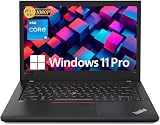
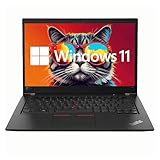
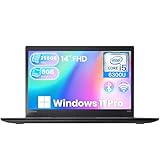

Top 3 picks at a glance
Quick comparison of the best refurbished business laptops
Business lines (ThinkPad, Latitude, EliteBook) are built for fleet use. That means spill-resistant keyboards, serviceable internals and long BIOS support, which is why they hold up well on the second-hand market. Prices below are market tiers, not quotes, and vary by grade and seller.
| Pick | Best for | Key specs (typical refurb configs) | Price tier |
|---|---|---|---|
| Lenovo ThinkPad T14 Gen 3 | Best overall | 14-inch 16:10 display, Intel 12th-gen or Ryzen 6000 PRO, 16 GB RAM, about 50 Wh battery | Mid-range |
| Lenovo ThinkPad X1 Carbon Gen 10 | Best premium ultraportable | 14-inch 16:10, 12th-gen Intel, soldered 16 GB RAM, about 57 Wh battery, around 1.1 kg | Upper mid-range |
| Dell Latitude 5430 | Best for IT-managed or office use | 14-inch 1080p, 12th-gen Intel, SODIMM RAM, USB-C and HDMI | Mid-range |
| HP EliteBook 840 G8 | Best screen and speakers for the money | 14-inch 1080p, 11th-gen Intel, about 53 Wh battery, optional vPro | Budget to mid-range |
| Lenovo ThinkPad T490 / T14 Gen 1 | Best budget | 8th/10th-gen Intel, 16 GB RAM, 1080p panel, Windows 11 eligible | Budget |
| Apple MacBook Air M1 (Apple-certified refurbished) | Best non-Windows option | Apple M1, 8 or 16 GB unified memory, fanless, Apple warranty | Mid-range |
| ThinkPad P14s or Dell Precision 3000-series class | Best for CAD and light GPU work | Workstation-class, NVIDIA professional GPU options, 16–32 GB RAM | Upper mid-range |
Best overall: Lenovo ThinkPad T14 Gen 3
The T14 Gen 3 is the safest default. It has a 16:10 display, a keyboard that business buyers rate among the best on any laptop, and a full port set including USB-C/Thunderbolt, HDMI and often a smart-card or SIM option. Lenovo’s published specs list Intel 12th-gen and AMD Ryzen 6000 PRO variants. Both are comfortably inside Windows 11’s support window and strong enough for office work, light photo editing and heavy browser use.
Trade-off: the battery is modest at about 50 Wh, and RAM configuration varies by variant (some AMD versions use soldered memory). Confirm the exact RAM layout in the listing.
Best premium ultraportable: ThinkPad X1 Carbon Gen 10
If you travel, the X1 Carbon is the one to look for. It is light, has a bright and sharp panel in many configurations, and keeps the ThinkPad keyboard. Gen 9 and Gen 10 are the sweet spot, because they are new enough for years of Windows 11 updates and old enough to have dropped a lot in price.
Trade-off: RAM is soldered, so buy the 16 GB version. There is no later upgrade, and 8 GB gets tight with Teams, a browser and a few documents open.
Best for IT-managed or office use: Dell Latitude 5430
Latitudes are the most common ex-lease laptop, so supply is deep and grades are consistent. The 5430 has user-replaceable SODIMM memory and an M.2 SSD in most configurations, and Dell publishes full service manuals. The Latitude 7430 is the slimmer step up, with a better chassis and a larger battery option (up to 63 Wh on some Latitude 7000 models per Dell’s spec sheets).
Trade-off: the 5000 series is plainer and heavier than the X1 Carbon, and some lots ship with a basic 1080p panel with weak colour.
Best screen and speakers: HP EliteBook 840 G8
The EliteBook 840 G8 has a 14-inch aluminium body, optional vPro for remote management and, in many units, a 400-nit-class panel. It often costs less than an equivalent ThinkPad because the HP brand has less resale cachet.
Trade-off: check that the model you are offered has the 1080p panel, not a dim lower-grade one, and confirm the BIOS is not locked to a previous owner (see the checklist below).
Best budget: ThinkPad T490 or T14 Gen 1
The T490 is the cheapest sensible entry. It has an 8th-gen Intel quad-core processor that Microsoft lists as supported for Windows 11, a replaceable battery path and parts that are cheap everywhere. The T14 Gen 1 is a small step up with a 10th-gen CPU. Treat these as 16 GB, SSD-only machines: a 4 GB or hard-drive configuration is not worth buying at any price.
Trade-off: expect shorter battery life, since the packs are six or more years old, and fewer ports with modern speeds.
Best non-Windows option: MacBook Air M1
For buyers who do not need Windows-only business software, an Apple-certified refurbished MacBook Air M1 is the best long-term value. It has a fanless design, strong efficiency and Apple’s own refurbishment and warranty process. Choose 16 GB if you can find it, because memory cannot be upgraded.
Trade-off: fewer ports, and no support for software that only runs on Windows or needs a discrete GPU.
Best for CAD or light GPU work: mobile workstation class
Models such as the ThinkPad P14s and Dell’s Precision 3000-series laptops add professional GPU options, ECC-capable or higher-capacity memory on some SKUs, and sturdier cooling. They suit CAD, 3D modelling and some video work. For gaming, a business laptop with integrated Intel Iris Xe graphics typically manages older and esports titles at 1080p low to medium settings, while published reviews show frame rates varying a lot with the game, the RAM running in dual-channel and the power mode. Do not buy a business laptop as a main gaming machine.
How to choose: a decision matrix
| Your situation | Choose | Minimum spec |
|---|---|---|
| Office, email, video calls, browser-heavy work | Latitude 5430 or T14 Gen 3 | Core i5 / Ryzen 5 PRO, 16 GB, 256 GB SSD |
| Frequent travel, long days away from outlets | X1 Carbon Gen 9/10 or Latitude 7430 | 16 GB, battery health at least 85% |
| Tight budget, light tasks | T490 / T14 Gen 1 | 8th-gen or newer Intel, 8 GB (16 GB preferred), SSD |
| Student or freelancer, creative apps | MacBook Air M1 or ThinkPad T14 Gen 3 | 16 GB, 512 GB storage |
| CAD, 3D, or GPU-accelerated work | ThinkPad P14s class | Dedicated professional GPU, 32 GB if possible |
| Business fleet buying many units | Latitude or EliteBook, same model throughout | vPro/MDM support, matching spare parts |
Worked example: what battery health really gives you
Battery wear is the main hidden cost on a refurbished laptop. Take an X1 Carbon with a design capacity of 57 Wh. Light office use (browser, documents, a video call now and then) typically pulls 7–10 W on a modern low-power CPU.
- New battery at 100%: 57 Wh ÷ 7 W ≈ 8.1 hours; at 10 W ≈ 5.7 hours.
- Refurb battery at 80% health: 45.6 Wh ÷ 7 W ≈ 6.5 hours; at 10 W ≈ 4.6 hours.
- Refurb battery at 60% health: 34.2 Wh ÷ 7 W ≈ 4.9 hours; at 10 W ≈ 3.4 hours.
The practical rule: accept 80% or better for travel, and treat 60% as a reason to ask for a replacement battery or a lower price. Real runtime varies with brightness, Wi-Fi and background apps.
Refurbished grades and warranty: what to look for
Grading terms are not standardised, so read each seller’s definition. As a general pattern, Grade A means light cosmetic wear, Grade B means visible scuffs or small dents, and Grade C means heavy wear but working internals. Cosmetic grade tells you nothing about battery or SSD health, so ask for both.
- Warranty: aim for at least 12 months with a clear return window. Manufacturer-refurbished or certified programs (Apple, Dell and Lenovo outlets) usually give the strongest protection.
- Operating system: a Windows 11 Pro licence is preferable to Home if you want BitLocker or domain features.
- Charger: check the original-wattage adapter is included, since a weak third-party charger can throttle performance or fail to charge.
Checklist before and after you buy
- Confirm Windows 11 eligibility. Microsoft’s support list covers roughly Intel 8th-gen and newer and AMD Ryzen 2000-series and newer, with TPM 2.0 required. Windows 10 reached end of support in October 2025, so skip older machines.
- Run a battery report. In an administrator command prompt, type
powercfg /batteryreport, then compare “Full Charge Capacity” with “Design Capacity”. Divide the first by the second to get health percentage, and note the cycle count. - Check for BIOS and management locks. Enter the BIOS and make sure there is no supervisor password, and that no MDM or enrolment lock (such as Intel AMT enrolment or corporate management) is attached to the device. Business laptops can be bricked for new owners by these.
- Check storage health. Use a tool like CrystalDiskInfo to read the SSD’s health and total data written. Anything labelled “caution” should be returned.
- Test the screen, keyboard and ports. Look for dead pixels, backlight bleed, sticky keys and loose USB-C ports in the first days of the return window.
- Do a clean install. Wipe and reinstall Windows from official media so there is no leftover software from previous owners.
Common mistakes to avoid
- Buying 8 GB of soldered memory. It cannot be upgraded later.
- Choosing a 1366×768 panel. Always pick a 1080p or better display.
- Accepting a listing that does not say which CPU generation it has.
- Skipping the return window because the price is low.
Frequently Asked Questions
Are refurbished business laptops worth buying?
Yes, usually. Business models are built to survive years of fleet use, and the same hardware costs much less used than new. The risks are battery wear and locked firmware, so buy with a warranty and check both.
Which brand is the most reliable for refurbished business laptops?
Lenovo ThinkPad, Dell Latitude and HP EliteBook are all dependable lines with good parts availability. ThinkPads have an edge in keyboard feel and repairability, Latitudes in supply and consistent grading, and EliteBooks in value.
How old is too old for a refurbished business laptop?
Aim for Intel 10th-gen or newer (or Ryzen 4000/5000 PRO and newer) if you can. Intel 8th-gen machines still work with Windows 11, but they are near the bottom of Microsoft’s support list and may lose official updates sooner.
How much RAM and storage should I get?
Choose 16 GB of RAM and a 256 GB SSD at minimum. A normal day of Windows 11 with a browser full of tabs and a meeting app can use 8–10 GB, so 8 GB leaves little room, and a 512 GB drive is better if you keep local files.
Can I game on a refurbished business laptop?
Only lightly. Integrated graphics handle older and esports titles at low settings, and results vary with the game, memory configuration and power mode. For modern games you need a dedicated-GPU gaming laptop or a mobile workstation with a suitable GPU.
Is Apple’s certified refurbished MacBook a better choice than a ThinkPad?
It depends on your software. If you only need browser, Office-type and creative apps, an M1 MacBook Air offers excellent battery life and an Apple warranty. If you need Windows-only tools, domain management or upgradeable RAM, a ThinkPad or Latitude is the better fit.
Related guides
More from Amazon
Programs that pair well with the guide above. Offers and eligibility are set by Amazon and may change.
A free business account with business pricing and bulk-buying tools for work, shop or home office.
Create a business accountFree shipping on eligible items, Prime Video and more. Eligible new members can start with a free trial.
Start a Prime free trialAudiobooks and podcasts to listen to on the go. Eligible new members can start with a free trial.
Try Audible freeAd-free music streaming. Eligible new subscribers can start with a free trial.
Try Music Unlimited freeAs an Amazon Associate we earn from qualifying purchases.


