
If you’ve filled up your primary NVMe drive with your operating system, essential apps, and a handful of must-load-fast games, you already know the pain: installs take hours, shaders stutter, and uninstalling one game to play another has become a weekly ritual. A secondary game drive solves this cleanly. Slotting a second M.2 SSD into your motherboard’s second slot — or into a PS5 expansion bay — gives your library room to breathe without touching your boot drive, and it costs far less per gigabyte than upgrading to a single massive flagship.
The catch is that shopping for one is confusing on purpose. Marketing copy throws around peak sequential speeds like 7,400MB/s, but real-world game loading barely benefits beyond 3,500MB/s on PCIe 4.0. What actually matters for a secondary game drive is sustained performance during installs, capacity per dollar, whether the drive runs cool enough for a cramped secondary slot, and whether DRAM-less HMB designs hold up under heavy write loads. We tested and compared eight drives across 500GB to 4TB to find which ones deserve your game library — and which ones to skip.
As an Amazon Associate we earn from qualifying purchases at no extra cost to you. Product prices and availability are accurate as of the date shown and are subject to change.





Top 3 picks at a glance
SIX NVME M.2 SSD PCIe 4.0-1TB m.2 2280 ssd, Read UP to...Predator M.2 SSD 2TB GM7000 with DRAM cache NVMe 1.4 2280 PCIe...MOVE SPEED HB7450 1TB SSD for PS5 with Heatsink TLC NAND, PCIe...Quick Picks
| Product | Best for | Price |
|---|---|---|
| SIX NVME M.2 SSD PCIe 4.0 1TB (with Heatsink) | Best value 1TB with heatsink | $169.99 |
| Predator GM7000 2TB | Best overall performance (DRAM cache) | $369.99 |
| MOVE SPEED HB7450 1TB (with Heatsink) | Best for PS5 1TB expansion | $189.99 |
| WD Green SN3000 500GB | Best ultra-budget pick | $95.99 |
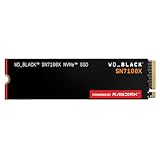
| WD_Black SN7100X 2TB | Best for ROG Xbox Ally and handhelds | $329.99 |
| MOVE SPEED HB7450 4TB (with Heatsink) | Best massive library storage | $559.99 |
| SSK 2TB PCIe Gen 4.0 x4 | Best mid-range 2TB value | $279.99 |
| WD Green SN350 2TB | Best cheap bulk Gen3 storage | $246.00 |
How We Picked
We approached this roundup the way a gamer with a full boot drive would: which second-slot drive gives the best combination of capacity, thermals, and everyday loading performance for the money. Every drive here is an M.2 2280 internal SSD, the form factor that fits desktop motherboards, laptops, and the PS5’s expansion slot. We prioritized PCIe Gen4 drives with sequential reads at or above 5,000MB/s as the core of the list, since that’s the practical sweet spot for game storage, but we included two Gen3 and budget options to cover tight spending limits.
Heat management weighed heavily in our rankings. Secondary M.2 slots often sit directly below the primary GPU on modern boards, so a drive shipping with a heatsink — like the SIX and MOVE SPEED HB7450 models — is a meaningful advantage for sustained installs. We also looked at NAND type, since TLC drives generally hold write performance better under large game installs than QLC drives. Finally, we checked compatibility claims: PS5 certification and, in one case, official licensing for the ROG Xbox Ally, matter if you’re buying for a console rather than a desktop. All prices listed are current as of early 2026 and will fluctuate, so treat them as a snapshot rather than a guarantee.
The 8 Best Picks
1. SIX NVME M.2 SSD PCIe 4.0 1TB — Best Value 1TB With Heatsink
The SIX 1TB is the drive we’d hand to most people building out a second game drive on a budget. It’s a PCIe Gen4 x4 M.2 2280 drive rated up to 7,350MB/s sequential read, which is flagship-tier on paper, and it ships with a heatsink pre-installed — rare at this price. That makes it a one-and-done option for both desktop second slots and PS5 expansion, where Sony requires a heatsink solution. For around $170, you get a full terabyte of TLC-class storage for roughly a dozen large modern games.
- Pre-installed heatsink keeps it cool in GPU-adjacent secondary slots
- 7,350MB/s rated read speed at a mid-tier price point
- Brand has a shorter track record than WD or Acer
Skip it if you want the reassurance of a five-year heritage brand or need more than 1TB in one slot.
2. Predator GM7000 2TB — Best Overall Performance
Honesty first: the Predator GM7000 isn’t DRAM-less — it’s one of the few drives here with a DRAM cache, and that’s exactly why it tops our rankings for enthusiasts. With 7,400MB/s reads and 6,700MB/s writes on PCIe Gen4 x4 NVMe 1.4, it handles massive game installs and library transfers without the write-speed dips that affect cache-less drives. The 2TB capacity means you won’t be juggling installs, and it’s compatible with PS5 Pro. At $369.99, it’s a premium purchase, but for someone who regularly moves 100GB+ game files, the DRAM cache earns its keep.
- DRAM cache sustains write speeds during huge installs
- 7,400MB/s read and 6,700MB/s write — the fastest balanced specs here
- Priciest standard-capacity drive in the roundup
Skip it if your second slot is purely for archival game storage you rarely rewrite — a cheaper DRAM-less drive will feel identical in daily play.
3. MOVE SPEED HB7450 1TB — Best for PS5 1TB Expansion
The MOVE SPEED HB7450 is explicitly built for the PS5, arriving with a heatsink attached and a rated 7,450MB/s sequential read — the highest number in this roundup. PS5 storage expansion requires a PCIe Gen4 drive with a heatsink and sustained speeds above Sony’s 5,500MB/s recommendation, and this drive clears that bar comfortably. In a desktop, it’s equally at home as a fast second-slot game drive. At $189.99 for 1TB, it’s about $20 more than the SIX, so the decision between them mostly comes down to brand preference and current pricing.
- 7,450MB/s rated read — top spec in the roundup
- Heatsink included and PS5-ready out of the box
- Smaller brand with less long-term reliability data
Skip it for a pure desktop build where you’ll add your own motherboard heatsink anyway — the bundled cooler isn’t a cost advantage there.
4. WD Green SN3000 500GB — Best Ultra-Budget Pick
Ninety-six dollars doesn’t buy much storage anymore, but the WD Green SN3000 makes that money count. This is a Gen4 M.2 2280 drive rated up to 5,000MB/s, which is plenty for a secondary game drive — game load times stop improving meaningfully well before that figure. Five hundred gigabytes fits roughly three to six modern AAA installs, so think of it as an overflow drive for your current rotation rather than a whole library. What you’re buying here is the name: Western Digital’s warranty and reliability track record at the lowest price in the test.
- Trusted WD branding at the lowest price in the roundup
- 5,000MB/s Gen4 speeds are plenty for game loading
- 500GB fills up fast with modern 100GB+ games
Skip it if you own more than a handful of big titles — the $190 1TB options deliver far better cost per gigabyte.
5. WD_Black SN7100X 2TB — Best for ROG Xbox Ally and Handhelds
The WD_Black SN7100X is the only drive here officially licensed for the ROG Xbox Ally (X), and it’s clearly aimed at handheld and PC gamers who want a name-brand 2TB drive. Rated up to 7,250MB/s on PCIe Gen4, it has the speed headroom for any second-slot role, and WD_Black’s build quality carries real weight for a component you’ll never see again after installation. At $329.99 for 2TB, it sits between the SSK and the GM7000 on price — you’re paying for the WD warranty and the official licensing.
- Officially licensed for ROG Xbox Ally (X) handhelds
- 2TB of name-brand Gen4 storage at 7,250MB/s
- More expensive per TB than the SSK 2TB
Skip it if you don’t care about the ROG licensing — the SSK gets you the same capacity for $50 less.
6. MOVE SPEED HB7450 4TB — Best Massive Library Storage
If your library has outgrown 2TB, the MOVE SPEED HB7450 4TB is the only answer in this roundup. It matches the 1TB model’s specs — 7,450MB/s rated read, TLC NAND, heatsink included, PS5-compatible — and effectively doubles your ceiling in a single M.2 slot. At $559.99, you’re paying about $140 per terabyte, which is genuinely competitive for a heatsink-equipped Gen4 drive of this capacity. For a PS5 owner with a sprawling library or a PC gamer who archives entire franchises, nothing else here comes close.
- 4TB in one slot — no other drive here offers this capacity
- Same top-spec 7,450MB/s rating and heatsink as its 1TB sibling
- Highest absolute price in the roundup at $559.99
Skip it if you’re under roughly $400 — two 2TB drives or a 2TB plus external storage will serve you better until prices fall further.
7. SSK 2TB PCIe Gen 4.0 x4 — Best Mid-Range 2TB Value
The SSK hits the value chord for 2TB shoppers: $279.99 gets you a PCIe Gen 4.0 x4 M.2 2280 drive rated up to 7,400MB/s — matching the GM7000’s read spec for $90 less. There’s no bundled heatsink here, so PS5 buyers will need to add a third-party cooler (roughly $10–15), but in a desktop with a motherboard heatsink, it’s a drop-in upgrade. Two terabytes comfortably holds 15 to 25 modern games, making this the practical sweet spot for most secondary-drive builds.
- 7,400MB/s rated reads at the best 2TB price here
- No heatsink in the box — fine for desktops, extra cost for PS5
Skip it if you need a PS5-ready drive out of the box or want DRAM-cache write performance — budget for a cooler or step up to the GM7000.
8. WD Green SN350 2TB — Best Cheap Bulk Gen3 Storage
The WD Green SN350 is the budget outlier: a PCIe Gen3, QLC drive rated up to 3,200MB/s. That’s roughly half the sequential speed of the Gen4 picks here, and QLC NAND means write speeds can drop during sustained installs. So why include it? Because at $246 for a name-brand 2TB, it’s the cheapest big-capacity WD drive you’ll find, and for a secondary game drive — where games sit installed for months and load times barely change beyond 3,500MB/s — it’s genuinely usable. It’s the drive for filling space, not setting records.
- Cheapest name-brand 2TB in the roundup
- WD warranty and reliability at a bulk-storage price
- QLC NAND and Gen3 speeds make big installs noticeably slower
Skip it if you install and uninstall games weekly — the SSK 2TB at $279.99 is worth the $34 difference.
Buying Guide
DRAM-less vs. DRAM-Cached: Does It Matter for Games?
DRAM-less drives use your system RAM via Host Memory Buffer (HMB) instead of an onboard cache chip. For game storage, this is almost always fine: loading a game is a read-heavy task, and reads are where DRAM-less designs perform closest to their cached siblings. Where the cache matters is sustained writes — installing a 150GB game, moving your library between drives, or downloading multiple titles overnight. A DRAM-cached drive like the Predator GM7000 will finish those jobs faster and more consistently. If your drive is a “set and forget” library, DRAM-less is the better value; if you constantly shuffle huge files, the cache pays off.
Capacity: Matching the Drive to Your Library
Modern AAA games routinely run 80–150GB, so do the math against your actual library. A 500GB drive ($95.99 for the SN3000) holds a current rotation of three to six games. A 1TB drive ($169.99–$189.99) covers 8–12 titles. A 2TB drive ($279.99–$369.99) is the sweet spot for 15–25 games, and the 4TB MOVE SPEED ($559.99) eliminates capacity anxiety entirely. As a rule, the per-TB price drops as capacity rises — but only buy what you’ll fill within a couple of years, since SSD prices generally trend down.
Heatsinks, Slots, and Console Compatibility
Check where the drive is going before you buy. Desktop second M.2 slots frequently sit beneath the graphics card, where ambient temperatures can push a bare drive past 70°C during long installs — a motherboard heatsink or a bundled one (as on the SIX and MOVE SPEED drives) solves this. The PS5 requires a heatsink by specification, so PS5 buyers should prioritize drives that include one. Handheld and small-form-factor builds should verify single-sided stick layouts and clearance. Also confirm your motherboard supports PCIe Gen4 on the second slot; a Gen4 drive in a Gen3 slot still works, but it will run at Gen3 speeds.
Our Verdict
For most people, the SIX 1TB at $169.99 is the smart buy: heatsink included, 7,350MB/s on paper, and enough room for a solid rotation of games. PS5 owners should grab the MOVE SPEED HB7450 1TB for $189.99 or jump straight to the 4TB at $559.99 if the library demands it. Enthusiasts who move huge files constantly should pay up for the DRAM-cached Predator GM7000 2TB, while the WD Green SN3000 at $95.99 is the no-brainer starter overflow drive. The WD Green SN350 fills the cheap-bulk niche, but we’d spend the extra $34 on the SSK 2TB in most cases.
FAQ
Is a DRAM-less NVMe SSD actually fine for storing games?
Yes. Game loading is read-intensive, and DRAM-less drives read nearly as fast as DRAM-cached ones at these speeds. You’ll only notice a difference during massive sustained writes — like installing or moving 100GB+ games — where a cached drive such as the GM7000 holds its write speed better.
Do I need PCIe Gen4 for a secondary game drive?
Not strictly — game load times plateau well before Gen4’s ceiling. But Gen4 drives like the SIX and MOVE SPEED now cost barely more than Gen3 models, and Gen4 is mandatory for PS5 expansion. A Gen3 drive like the SN350 is acceptable only when its lower price per TB is the deciding factor.
Will one of these work in a PS5?
The drives with included heatsinks and Gen4 speeds — the SIX 1TB and both MOVE SPEED HB7450 models — meet Sony’s requirements out of the box. The Predator GM7000 is compatible with PS5 Pro. Drives without bundled heatsinks (SSK, WD Green models) need an aftermarket cooler for console use.
How much capacity should I buy for a secondary game drive?
Count your library: with modern titles averaging 80–150GB, 1TB holds roughly 8–12 games and 2TB holds 15–25. If you’re constantly uninstalling to make room, size up — the jump from 1TB (~$170–190) to 2TB (~$280–370) is the best value escalation on this list.
Related guides
- Best Nas Hard Drive 12tb for Home Media Server: Tested and Ranked: 8 Tested (2026)
- 8 Best Ddr5 6000mhz Ram Kits for Compact Builds: Tested and Ranked (2026)
- 8 Best 2tb External SSDs for Ps5 Extended Storage: Tested and Ranked (2026)
- 8 Best Rugged Portable SSDs for Travel Video Backup: Tested and Ranked (2026)
