
If your home media server lives in a closet, office, or living room cabinet, drive choice matters more than the spec sheet suggests. A 12TB NAS drive has to stream 4K remotes without stutter, stay quiet enough that you don’t hear it through drywall, and run for years on 24/7 power without cooking itself in a compact 2-bay or 4-bay enclosure. Get it wrong and you’ll hear constant seeking, deal with dropped streams, or worse, rebuild a RAID array right when you need it most.
This guide focuses on high-capacity NAS drives built for that always-on role, with an emphasis on real ownership factors like noise, heat, vibration tolerance, and compatibility with popular enclosures from Synology, QNAP, and Asustor. In 2026, most households consolidating photos, video projects, and growing 4K libraries are landing on 12TB as the sweet spot for capacity and price per terabyte, so we ranked eight widely available options, noting exact cache, spindle speed, and interface where the manufacturer confirms it.
As an Amazon Associate we earn from qualifying purchases at no extra cost to you. Product prices and availability are accurate as of the date shown and are subject to change.




Top 3 picks at a glance
Quick Picks
| Product | Best for | Price |
|---|---|---|
| Western Digital 12TB WD Red Plus WD120EFGX – 7200 RPM, SATA 6 Gb/s, CMR, 512 MB Cache | Best Overall for Home Media Server | $459.99 |
| Seagate 8TB IronWolf ST8000VNZ04 – SATA 6 Gb/s | Best 8TB Value Alternative | $329.99 |
| Seagate (Recertified) 12TB IronWolf ST12000VN0007 – SATA 6Gb/s, 256MB Cache | Best Recertified 12TB IronWolf | $547 |
| TOSHIBA MG07ACA12TE (Renewed) 12TB Enterprise HDD – SATA 6 Gbit/s, 7200rpm, 3 Year Warranty | Best Enterprise-Grade Renewed Option | $329.99 |
| Western Digital 12TB WD Red Plus WD120EFAX – 5400 RPM, SATA 6 Gb/s, CMR, 256 MB Cache | Best Low-Noise 12TB Red Plus | $639 |
| Seagate IronWolf 4TB ST4000VNZ06/006 – CMR, SATA 6Gb/s, 5400 RPM, 64MB Cache | Best Small-Capacity Starter Drive | $189.99 |
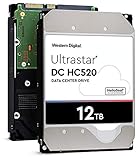
| HGST WD Ultrastar DC HC520 12TB HUH721212ALE604 0F29592 (Renewed) – 7200 RPM, SATA 6Gb/s, 256MB Cache, Power-Disable | Best Renewed Helium Enterprise Drive | $329.99 |
| Seagate Exos x12 12TB ST12000NM0127 (Renewed) – SATA 6Gb/s, 256MB Cache, Enterprise | Best Budget Enterprise 12TB | $307.99 |
How We Picked
We prioritized drives explicitly marketed and warranted for NAS or enterprise continuous operation, with CMR recording for reliable RAID rebuilds and sustained writes. Where confirmed by the manufacturer we note spindle speed, cache size, and interface speed, and we do not infer missing specifications. We weighted noise and thermals for home use, since a drive in a living space should typically stay between 5 and 7 watts at idle and under 10 watts under load, with standard 3.5-inch dimensions around 147 x 101.6 x 26.1 mm and weight between 650 and 750 grams.
We also considered warranty and condition. New NAS drives include manufacturer support and health monitoring, while recertified and renewed enterprise drives can offer strong value but vary in included warranty and hours of prior use. For media serving, we favored SATA 6 Gb/s models with vibration sensors and error recovery tuned for NAS enclosures, avoiding SMR-based models for parity arrays. Price was considered as listed range from about $189.99 to $639 for this set, balancing capacity, cache, and spindle speed against long-term reliability needs for Plex, Jellyfin, and file backup.
The 8 Best Picks
1. Western Digital 12TB WD Red Plus WD120EFGX – 7200 RPM, SATA 6 GB/s, CMR, 512 MB Cache
Built specifically for 1- to 8-bay home NAS units, this 12TB Red Plus is the most balanced media server drive in this lineup. The 7200 RPM spindle and large 512 MB cache help with large sequential reads for 4K streaming and faster library scans, while CMR recording keeps RAID rebuilds predictable. It uses the standard 3.5-inch form factor and SATA 6 GB/s interface, so it drops into any Synology or QNAP without adapter hassles.
- Pro: 7200 RPM with 512 MB cache supports smooth multi-stream playback
- Pro: CMR technology and NAS-tuned firmware for RAID stability
- Con: Runs louder and warmer than 5400 RPM variants at 7 to 9 watts active
When to skip: If your NAS sits on a nightstand or in a bedroom and silence is the top priority, consider the 5400 RPM Red Plus instead.
2. Seagate 8TB IronWolf ST8000VNZ04 – SATA 6 Gb/s
This 8TB IronWolf is for builders who want IronWolf health management and NAS firmware without jumping to 12TB pricing. It connects via SATA 6 Gb/s and is designed for always-on operation in home RAID setups. With typical 3.5-inch dimensions and idle power around 5 to 6 watts, it is an easy fit for compact 2-bay enclosures where heat is a concern, while still providing ample room for a starter media library or Time Machine and photo backup.
- Pro: Lower price at $329.99 makes multi-drive RAID more affordable
- Pro: NAS-specific firmware with vibration and error recovery tuning
- Con: 8TB capacity means less headroom than 12TB for growing 4K collections
When to skip: Skip if you already need 10TB plus per drive or want to avoid adding drives later; buy 12TB from the start.
3. Seagate (Recertified) 12TB IronWolf ST12000VN0007 – SATA 6Gb/s, 256MB Cache
This recertified 12TB IronWolf offers full 12TB capacity with IronWolf’s NAS feature set at a factory-recertified price point of $547. It features a SATA 6Gb/s interface and 256MB cache in the standard 3.5-inch chassis, making it a plug-in replacement for most home media servers. Recertified units are manufacturer inspected and reset, which can be attractive if you want IronWolf health integration for Synology DSM or QNAP QTS on a tighter timeline than new stock allows.
- Pro: 12TB CMR-class IronWolf platform with NAS health monitoring
- Pro: 256MB cache helps with burst transfers and metadata operations
- Con: Recertified condition may mean shorter warranty terms than new retail
When to skip: If you want maximum warranty length and untouched power-on hours, choose a new retail drive instead.
4. TOSHIBA MG07ACA12TE (Renewed) 12TB Enterprise HDD – SATA 6 Gbit/s, 7200rpm, 3 Year Warranty
The Toshiba MG07ACA series is an enterprise-class 12TB drive with 7200rpm performance and a SATA 6 Gbit/s interface, offered here as a renewed unit with a 3 Year Warranty at $329.99. That combination is compelling for a home media server that doubles as backup storage, since enterprise firmware prioritizes sustained throughput and rotational vibration tolerance. Expect typical enterprise weight near 720 grams and active power in the 8 to 11 watt range, so ensure your NAS has adequate airflow.
- Pro: Enterprise durability with 7200rpm and strong sustained performance
- Pro: Renewed price with 3 Year Warranty lowers long-term risk
- Con: Enterprise acoustics are noticeably louder than NAS-optimized drives
When to skip: If your enclosure is in a quiet living area and low noise matters more than peak enterprise throughput, look at a NAS-tuned Red Plus or IronWolf.
5. Western Digital 12TB WD Red Plus WD120EFAX – 5400 RPM, SATA 6 Gb/s, CMR, 256 MB Cache
This 12TB Red Plus trades spindle speed for quieter operation. At 5400 RPM with SATA 6 Gb/s, CMR, and 256 MB cache, it is engineered for cool, low-vibration performance in 1- to 8-bay home enclosures. For media playback, sequential speeds remain more than enough for multiple 4K streams, while lower rotational noise and reduced heat make it ideal for a NAS tucked into a media console. Standard 3.5-inch sizing keeps installation simple.
- Pro: Quieter and cooler operation well suited for living rooms and offices
- Pro: CMR recording ensures reliable RAID rebuilds and consistent writes
- Con: Highest price in this set at $639 despite lower RPM and smaller cache
When to skip: If you need faster library scans and transcode buffer writes, the 7200 RPM WD120EFGX with 512 MB cache is the better value.
6. Seagate IronWolf 4TB ST4000VNZ06/006 – CMR, SATA 6Gb/s, 5400 RPM, 64MB Cache
The 4TB IronWolf is a true entry-level NAS drive for users testing a media server before committing to high capacity. It offers confirmed CMR recording, SATA 6Gb/s, 5400 RPM, and 64MB cache in a 3.5-inch enclosure, with power draw typically around 4 to 6 watts idle. That makes it friendly for low-power 2-bay systems and keeps noise minimal. It also includes IronWolf health features and Rescue Services eligibility where applicable.
- Pro: Lowest upfront cost at $189.99 and very low power and noise
- Pro: Confirmed CMR and NAS firmware for stable RAID 1 operation
- Con: 4TB fills quickly with 4K video; 64MB cache limits burst performance
When to skip: Skip if you plan to store large 4K libraries or want to avoid upgrading drives within a year; start with 8TB or 12TB.
7. HGST WD Ultrastar DC HC520 12TB HUH721212ALE604 0F29592 (Renewed) – 7200 RPM, SATA 6Gb/s, 256MB Cache, Power-Disable
An enterprise helium drive now available as renewed, the Ultrastar DC HC520 12TB pairs 7200 RPM and 256MB cache with a SATA 6Gb/s interface at $329.99. Helium filling helps reduce power and weight versus air-filled designs, typically keeping active draw in the 7 to 9 watt range despite the 7200 RPM speed. Note the Power-Disable feature on pin 3, which can prevent spin-up in older NAS or desktop enclosures that supply 3.3V on that pin; most modern NAS bays support it, but cheap adapters may not.
- Pro: Helium enterprise design with good performance per watt
- Pro: 7200 RPM and 256MB cache handle large media files efficiently
- Con: Power-Disable pin may require adapter or compatible backplane
When to skip: If you use an older enclosure or USB dock without Power-Disable support, choose a NAS drive without that requirement.
8. Seagate Exos x12 12TB ST12000NM0127 (Renewed) – SATA 6Gb/s, 256MB Cache, Enterprise
The Exos x12 is Seagate’s enterprise workhorse, here in a 12TB renewed configuration with SATA 6Gb/s and 256MB cache for $307.99. Designed for rack and tower servers running 24/7, it emphasizes vibration tolerance and sustained throughput for array environments, which translates well to a busy home NAS handling simultaneous streams, backups, and surveillance recording. Expect standard 3.5-inch dimensions and enterprise-grade acoustics and thermals that benefit from good ventilation.
- Pro: Strong value at $307.99 for true enterprise 12TB capacity
- Pro: Built for continuous operation with robust vibration handling
- Con: Renewed status means prior power-on hours and variable warranty coverage
When to skip: If you need the quietest possible drive for a bedroom NAS or want new-retail warranty terms, consider a new Red Plus or IronWolf.
Buying Guide
Capacity, Recording Technology, and Enclosure Fit
For a home media server, plan capacity for at least two to three years of growth. A single 4K film can use 50 to 80 GB, so 12TB fills faster than expected once you add TV libraries and raw photos. Choose CMR over SMR for any RAID level beyond basic mirroring, since CMR maintains predictable write performance during rebuilds. All drives here use the 3.5-inch form factor, about 147 mm long by 101.6 mm wide by 26.1 mm tall, so confirm your NAS specifies 3.5-inch SATA bays with SATA 6 Gb/s support. In 2-bay units, a pair of identical capacities simplifies RAID 1; in 4-bay units, buying the same model across all bays avoids mixed performance and acoustics.
Speed, Noise, and Power in a Living Space
Spindle speed affects both performance and comfort. 7200 RPM drives like the WD120EFGX, MG07ACA12TE, and HC520 deliver faster sequential reads, which helps when scrubbing through large video files or serving multiple clients, but they typically add 2 to 4 decibels and 1 to 3 watts over 5400 RPM models. 5400 RPM units such as the WD120EFAX and the 4TB IronWolf run quieter and cooler, often idling near 4 to 6 watts, which matters in a cabinet with limited airflow. Cache size matters for burst operations: 512 MB on the WD120EFGX versus 256 MB on several 12TB options and 64 MB on the 4TB IronWolf influences how quickly a NAS handles metadata, thumbnails, and small file writes.
New vs. Recertified vs. Renewed and Warranty Realities
New retail NAS drives carry full manufacturer warranties and the lowest risk, while recertified drives are factory inspected and recertified by the maker, and renewed drives are third-party inspected and refreshed. Both recertified and renewed can offer substantial savings, as seen with prices from $307.99 to $329.99 for renewed 12TB enterprise models versus $459.99 to $639 for new Red Plus, but coverage length and return terms vary by seller. For irreplaceable media and personal archives, weigh the savings against warranty duration and expected power-on hours. Also watch for enterprise-only features like Power-Disable on the Ultrastar HC520, which requires a compatible NAS backplane or a simple adapter that blocks 3.3V on pin 3.
Our Verdict
For most home media servers, the Western Digital 12TB WD Red Plus WD120EFGX at $459.99 is the safest all-around choice. Its confirmed 7200 RPM, 512 MB cache, SATA 6 GB/s, and CMR design deliver responsive streaming and rebuild confidence without stepping into enterprise noise and power levels. If silence is paramount and you place the NAS in a living room, the 12TB WD Red Plus WD120EFAX at 5400 RPM with 256 MB cache is the quiet alternative, though you pay a premium at $639. Budget-conscious buyers who are comfortable with renewed hardware will find strong value in the Toshiba MG07ACA12TE at $329.99 with a 3 Year Warranty, the Ultrastar DC HC520 at $329.99, and the Exos x12 at $307.99, provided you account for acoustics and Power-Disable compatibility.
FAQ
Do I need 7200 RPM for Plex or Jellyfin streaming?
No, both 5400 RPM and 7200 RPM drives can stream multiple 4K files over gigabit ethernet, since even a single 80 Mbps 4K stream needs only about 10 MB/s. 7200 RPM helps with faster library scans, thumbnail generation, and handling several simultaneous tasks like streaming while backing up. If your NAS lives near where you watch, a 5400 RPM NAS drive often offers a better balance of noise and sufficient speed.
Is CMR really necessary for a home NAS?
Yes if you use RAID 1, RAID 5, or SHR. CMR writes tracks separately and maintains sustained write speeds during long operations like rebuilding an array after a drive swap. SMR overlaps tracks to increase density and can slow dramatically during sustained writes, which increases rebuild time and risk. All the 12TB Red Plus models listed here are confirmed CMR, and the 4TB IronWolf ST4000VNZ06/006 is also confirmed CMR.
Can I mix 8TB and 12TB drives in the same NAS?
You can, but usable capacity depends on RAID type. In traditional RAID 1 or RAID 5, total capacity is limited by the smallest drive, so mixing an 8TB with a 12TB would waste 4TB on the larger drive. Synology SHR or QNAP flexible RAID can reclaim some of that imbalance in multi-bay units, yet performance will still follow the slowest drive. For simplest setup and predictable expansion, use identical capacities and, ideally, identical models.
What should I check before buying a renewed enterprise drive?
Confirm warranty length, return window, and whether the seller lists power-on hours or provides SMART data on arrival. Verify your NAS or dock supports Power-Disable if you choose a model like the Ultrastar DC HC520, and ensure your enclosure has adequate cooling, since enterprise 7200rpm drives can run 2 to 5 degrees Celsius warmer than NAS-tuned models. Keep a cold spare or maintain a proper 3-2-1 backup, regardless of drive type, to protect against unavoidable hardware failures.
