The best SSD for an Xbox One is a USB 3.0 external SSD such as the Samsung T7 Shield, the SanDisk Extreme Portable SSD or the Seagate Game Drive for Xbox SSD. The console’s USB 3.0 port tops out around 400-450 MB/s in practice, so a faster, pricier NVMe-class portable drive gains you nothing. Choose by capacity and durability, not by headline speed.
As an Amazon Associate we earn from qualifying purchases at no extra cost to you.


Our Top Picks
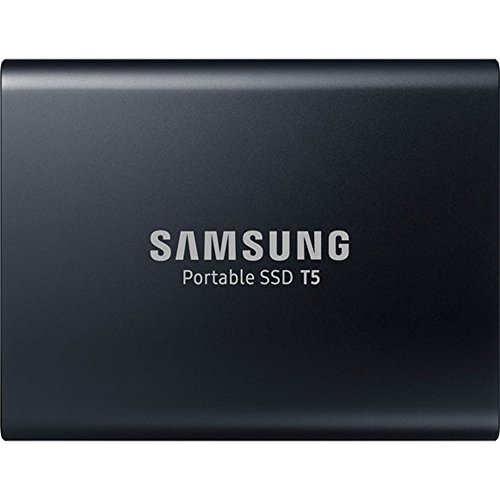

Top 3 picks at a glance
Quick comparison of the best SSDs for Xbox One
| Pick | Best for | Key specs | Price range |
|---|---|---|---|
| Samsung T7 Shield | Best overall external | USB 3.2 Gen 2, rubberized shell, IP65 rating per Samsung, 1TB/2TB/4TB | Mid-range to premium |
| SanDisk Extreme Portable SSD | Best for travel and LAN parties | USB-C with USB-A cable support, IP65 rating per SanDisk, 500GB-4TB | Mid-range to premium |
| Seagate Game Drive for Xbox SSD | Best plug-and-play | Xbox-branded, 500GB/1TB/2TB, USB 3.2 Gen 1 per Seagate | Mid-range |
| Crucial X6 | Best budget-minded capacity | USB 3.2 Gen 2, pocket-sized, 500GB-4TB | Budget to mid-range |
| Samsung 870 EVO (2.5″ SATA) | Best internal swap | SATA III, 250GB-4TB, 2.5″ form factor | Mid-range |
| Crucial MX500 (2.5″ SATA) | Best budget internal | SATA III, 250GB-4TB, 2.5″ form factor | Budget to mid-range |
What the Xbox One can actually use
This is the point most guides skip. The Xbox One has two storage routes with hard speed ceilings, and both are far below what modern SSDs can do.
- External via USB 3.0: The interface is 5 Gbps. After encoding overhead that is about 500 MB/s theoretical and roughly 400-450 MB/s real-world. Per Microsoft’s support documentation, the console needs a USB 3.0 drive of at least 256GB, and the drive is reformatted for Xbox use when you set it up.
- Internal via SATA: The original Xbox One and One S are commonly reported to use a SATA II (3 Gbps) controller, about 300 MB/s theoretical and roughly 250-280 MB/s real. The Xbox One X is generally reported to have a faster SATA III link. In every case you are limited by the console, not the SSD.
Internal replacement is also riskier. It means opening the console, which can void warranty, and the replacement drive has to be prepared and sometimes cloned using the right procedure. For most people, an external SSD is the better option.
Worked example: what an SSD really saves you
Take a 100GB game copied from an external drive. Compare a typical external hard drive against a SATA SSD and a fast NVMe portable SSD, all on the Xbox One’s USB 3.0 port.
| Drive type | Sustained speed on Xbox One | Time to copy 100GB |
|---|---|---|
| External 2.5″ hard drive | about 100-120 MB/s | about 14-17 minutes |
| SATA-class portable SSD | about 400 MB/s (port-limited) | about 4 minutes |
| 1000 MB/s NVMe portable SSD | about 400 MB/s (port-limited) | about 4 minutes |
The calculation is 100,000 MB divided by 400 MB/s, which is 250 seconds. The third row costs more but behaves identically, so a cheaper SATA-class portable drive is the smarter buy. Faster drives only matter if you plan to move the SSD to a PC, a Series X|S or a PS5 later.
Load times improve, but not dramatically. Published comparisons for Xbox One titles typically show SSDs shaving a modest share off load times versus an HDD, varying by game, patch and console model. The Xbox One’s CPU and the game’s own loading logic matter as much as the drive. The bigger gains are quieter operation, no spin-up delay and better resilience to knocks.
Best overall: Samsung T7 Shield
The T7 Shield suits anyone who moves a console between rooms or takes it to a friend’s house. Its rubberized shell and IP65 dust and water resistance, per Samsung’s spec sheet, make it the sturdiest pick here. It also holds its speed well during long copies, which helps when you install several large games in a row. The trade-off is price: you pay extra for ruggedness and for speed the Xbox One cannot use.
Best for travel: SanDisk Extreme Portable SSD
SanDisk’s Extreme Portable SSD is compact and rated IP65 for dust and water resistance, per SanDisk. It also has a built-in loop for hanging it from a bag. It comes with a USB-C cable, so check that you have a USB-C to USB-A cable for the Xbox One’s Type-A ports. The trade-off is the same as with the T7 Shield: you are paying for speed the console cannot use.
Best plug-and-play: Seagate Game Drive for Xbox SSD
This is the simplest recommendation for someone who just wants it to work. The drive is built and branded for Xbox and comes in capacities that suit a game library. The trade-off is that it is not the fastest drive for other uses, and it often costs more than a similar generic SATA-class portable SSD. For an Xbox One, that speed gap does not matter.
Best value for capacity: Crucial X6
The Crucial X6 is a pocketable portable SSD that is often priced lower than the rugged picks at the same capacity. It is a good choice if the drive will sit next to the console and never travel. The trade-off is a plain, non-rugged build with no formal dust or water rating, so treat it gently.
Best internal options: Samsung 870 EVO and Crucial MX500
If you want a silent, built-in solution, a 2.5″ SATA SSD is the only type that fits. The Samsung 870 EVO and Crucial MX500 are both well-known SATA III drives with established reliability records. On an original Xbox One or One S the SATA II link limits them to about 250-280 MB/s, which is still more than double a typical HDD. The trade-offs are warranty risk, the work involved and a physical-fit check. Confirm your console’s drive-bay height before buying, and follow a guide for your exact model.
How to choose: a decision matrix
| Your situation | Best choice | Why |
|---|---|---|
| Just want faster installs, console stays put | SATA-class portable SSD (Crucial X6 or Seagate Game Drive for Xbox SSD) | The USB 3.0 port caps speed, so extra cost buys nothing |
| Carry the console to friends or school | Samsung T7 Shield or SanDisk Extreme Portable SSD | Shock and water resistance |
| Planning to upgrade to Series X|S | 1TB-2TB portable SSD of any brand | Still works for Xbox One games on the new console, and it is fast enough for backward-compatible titles |
| Want a quiet, cable-free console | 2.5″ SATA SSD swap (870 EVO or MX500) | Internal install, but weigh the warranty risk |
| Large library, tight budget | External HDD plus a smaller SSD for current games | Splits cost: fast drive for active games, cheap storage for the rest |
How much capacity do you need?
Xbox One games commonly range from about 20GB to well over 100GB. A 1TB drive formats to roughly 930GB of usable space. At an average of about 50GB per title, that is around 18 games. A 500GB drive holds only about 9, and a 2TB drive about 37. Updates and DLC increase install sizes over time, so leave about 10-15% free. For most players, 1TB is the sweet spot and 2TB is the right choice for a big library.
Set-up steps for an external SSD
- Back up anything on the drive, because the console formats it.
- Plug the SSD directly into a USB port on the console, not into a hub.
- When prompted, choose to format the drive for games and apps. Pick “Format storage device”.
- Go to Settings, then System, then Storage, and choose the SSD as the default install location.
- Move existing games across from the Manage game menu.
Frequently Asked Questions
Will an SSD make my Xbox One much faster?
It will improve load times, and installs and copies will be much quicker than with a hard drive. The gains are limited by the console’s USB 3.0 or SATA connection and its CPU. Expect a noticeable but not dramatic improvement.
Can I use an NVMe SSD on an Xbox One?
Not directly. The console has no NVMe slot, so an NVMe drive must sit in a USB enclosure or be a portable NVMe-based SSD. Even then it runs at USB 3.0 speeds, so there is no benefit over a SATA-class drive.
Can I use the same SSD on an Xbox Series X|S later?
Yes, an external drive formatted for Xbox One games can usually be connected to a Series X|S, which can play Xbox One titles stored on it. Games optimized for Series X|S must run from the internal drive or the proprietary expansion card, not a USB drive. Check Microsoft’s current support page before relying on this.
Is it safe to replace the internal hard drive in an Xbox One?
It is possible, but it means opening the console, which can void your warranty, and the drive must be set up correctly. A 2.5″ SATA SSD is the only type that fits. Most people are better off with an external SSD.
How big an SSD should I buy for Xbox One?
1TB suits most players, holding roughly 15-18 typical games. Choose 2TB for a large library or if you also buy digital titles frequently. Avoid 250-500GB unless you only want a drive for a handful of current games.
Related guides
More from Amazon
Programs that pair well with the guide above. Offers and eligibility are set by Amazon and may change.
A free business account with business pricing and bulk-buying tools for work, shop or home office.
Create a business accountFree shipping on eligible items, Prime Video and more. Eligible new members can start with a free trial.
Start a Prime free trialAudiobooks and podcasts to listen to on the go. Eligible new members can start with a free trial.
Try Audible freeAd-free music streaming. Eligible new subscribers can start with a free trial.
Try Music Unlimited freeAs an Amazon Associate we earn from qualifying purchases.


