The best durable business laptop for most people is the Lenovo ThinkPad T14 (Gen 5 or newer), because it combines a reinforced chassis, a spill-resistant keyboard, and easily serviced parts at a mid-range business price. If you work in vehicles, warehouses, or on job sites, step up to a semi-rugged machine such as the Panasonic Toughbook 55. If you need the lightest option that is still tough, the ThinkPad X1 Carbon Gen 13 is the pick.
“Durable” is not one spec. It covers the hinge, the chassis, the keyboard, the ports, the battery and how easily the machine can be repaired. This guide ranks the picks by how much abuse they take and what that costs.
As an Amazon Associate we earn from qualifying purchases at no extra cost to you.
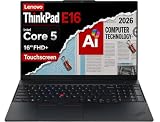



Top 3 picks at a glance
Quick comparison of the durable picks
| Pick | Best for | Key durability traits | Typical price range |
|---|---|---|---|
| Lenovo ThinkPad T14 (Gen 5+) | Best overall | MIL-STD-810H testing per Lenovo, spill-resistant keyboard, modular parts, about 1.4 kg | $1,100–$1,700 |
| ThinkPad X1 Carbon Gen 13 | Light and tough | Carbon-fiber and magnesium-alloy build, about 1 kg, MIL-STD-810H per Lenovo | $1,700–$2,500 |
| Dell Pro 14 Premium (Latitude 7000 successor) | Managed IT fleets | Aluminum chassis, business-grade support, ProSupport warranty options | $1,400–$2,200 |
| HP EliteBook 8 14 (G1a/G1i) | Mixed office and travel | MIL-STD-810H testing per HP, spill-resistant keyboard, business security features | $1,200–$2,000 |
| Lenovo ThinkPad L14 | Best budget | Business keyboard and hinge, plastic-heavy but reinforced, service-friendly | $700–$1,100 |
| Panasonic Toughbook 55 | Field and vehicle work | Magnesium alloy, semi-rugged, user-replaceable parts, legacy ports | $2,200–$3,800 |
Best overall: Lenovo ThinkPad T14
The T14 is the benchmark for durable office hardware. Lenovo says the line passes MIL-STD-810H tests covering vibration, humidity, temperature extremes and shock, and the keyboard is designed to drain small spills. Parts such as RAM, SSD and battery are generally easy to reach, so a failed component does not mean a dead laptop.
Who it suits: consultants, sales staff, and anyone carrying a laptop daily. Trade-off: it is heavier than ultralights, and the lid has more flex than metal premium designs. Configuration choice matters: pick a 16GB or 32GB model with a 512GB or larger SSD so you are not replacing it for capacity reasons.
Best lightweight durable laptop: ThinkPad X1 Carbon Gen 13
At about 1 kg, the X1 Carbon uses carbon-fiber and magnesium-alloy construction, which resists flex better than thin all-aluminum shells. Lenovo lists MIL-STD-810H testing for it too. It suits frequent flyers who want rigidity without weight.
Trade-off: repairability is lower, since much of the memory is soldered, so you must pick your RAM at purchase. Pay for 32GB if you plan to keep it past four years.
Best for managed fleets: Dell Pro 14 Premium
Dell moved its Latitude business range to the Dell Pro branding. The Premium tier is the successor to the Latitude 7000 class, with an aluminum chassis and strong enterprise deployment tools. Its real durability advantage is service: on-site repair warranties (Dell’s ProSupport tiers) shorten downtime when something breaks.
Trade-off: the useful warranty upgrades add cost. Price the model with the 3 to 5 year on-site plan, not the base listing.
Best for mixed office and travel: HP EliteBook 8 14
HP’s EliteBook 8 series (available in AMD “G1a” and Intel “G1i” variants) targets the same buyers as the T14 and Dell Pro. HP cites MIL-STD-810H testing and includes hardware security features. It tends to offer good battery life on the AMD configurations.
Trade-off: HP’s lineup naming is confusing, so confirm the exact SKU, RAM and panel before ordering.
Best budget durable laptop: ThinkPad L14
The L14 is the cheaper sibling of the T-series. It keeps a business-grade keyboard, hinges and serviceability, but the chassis is plastic-heavy and the screen options are more basic. It is the best choice when you want business durability for several employees at $700 to $1,100 each.
Trade-off: heavier and thicker, with dimmer panels. Avoid the lowest 8GB RAM configuration.
Best for rough environments: Panasonic Toughbook 55
This semi-rugged laptop uses a magnesium-alloy case and is built around user-replaceable parts, with ports that office laptops dropped long ago. It is aimed at vehicles, utilities, field service and warehouses. If drops, dust, rain and vibration are routine, a standard business laptop is a false economy. For tablet-style fully rugged work, Dell’s Latitude Rugged line and Getac’s models are the alternatives.
Trade-off: it is thick, about 2 kg or more, and costs two to three times as much as a T14.
How to choose: a decision matrix
| Your situation | Choose | Why |
|---|---|---|
| Office plus commute, bag carry | ThinkPad T14 or HP EliteBook 8 | Spill-resistant keys, modular parts, reasonable weight |
| Flying weekly, under 1.2 kg wanted | ThinkPad X1 Carbon Gen 13 | Rigid light body |
| 50+ seat IT-managed fleet | Dell Pro 14 Premium | On-site service and deployment tools |
| Tight budget, many users | ThinkPad L14 | Business durability at lower cost |
| Dust, rain, vehicle mount, drops from 1 m+ | Toughbook 55 or a rugged Latitude | Designed for the conditions, not just tested |
Worked example: cost per year of ownership
Compare a $800 consumer-grade laptop that lasts 3 years against a $1,500 business laptop that lasts 5 years with a 5-year on-site warranty. Assume a failure costs about 3 days of downtime for the consumer model, and 1 day for the business model with on-site service. Valuing your time at $400 per day:
- Consumer: $800 ÷ 3 = $267/year, plus one failure over 3 years at 3 days × $400 = $1,200, which is $400/year. Total about $667/year.
- Business: $1,500 ÷ 5 = $300/year, plus one failure over 5 years at 1 day × $400 = $400, which is $80/year. Total about $380/year.
These are assumptions, not measured failure rates. The point is that downtime and lifespan dominate sticker price, so the durable laptop often costs less per year of use.
Battery durability: the part that wears out first
Batteries lose capacity with charge cycles. Take a 57Wh battery and an average draw of 8W for office work: 57 ÷ 8 ≈ 7.1 hours new. If capacity falls to 80% after about three years of daily use, the runtime is 45.6 ÷ 8 ≈ 5.7 hours. For a full 8-hour day at that point, you want a battery of about 64Wh or more, or a replaceable one. Look for models with easy battery access, and enable the charge-limit feature (often 80% in the vendor’s power app) if the laptop is mostly docked.
Checklist: what actually makes a laptop durable
- Hinges: metal-reinforced hinges that open to 180 degrees without lid wobble.
- Chassis: magnesium alloy, carbon fiber or thick aluminum resists flex better than thin plastic.
- Keyboard: spill-resistant drainage, per the manufacturer’s spec sheet.
- Serviceability: replaceable SSD, battery and RAM slots (check before buying).
- Warranty: 3 to 5 years, ideally on-site, with accidental damage cover if you travel.
- Ports: at least two USB-C/Thunderbolt ports so one failed port does not cripple you, plus a dock-friendly design.
Treat MIL-STD-810H claims with care. Manufacturers run selected test methods, not a guarantee of survival, and the certification is not a waterproof or drop-proof rating. It indicates the design was put through stress such as vibration and temperature cycling.
Frequently Asked Questions
Are MIL-STD-810H laptops really indestructible?
No. The standard is a set of test methods, and manufacturers choose which ones to run and what pass criteria to use. It shows that a design survived specific stresses, but it does not cover every drop or spill and does not replace a warranty with accidental damage cover.
Which brand is the most durable for business laptops?
Lenovo’s ThinkPad, Dell’s business lines and HP’s EliteBook all perform well, and the difference between them is smaller than the difference between business and consumer lines. For extreme conditions, Panasonic Toughbook and Getac are purpose-built rugged brands.
Is a rugged laptop worth it for office work?
Usually not. Rugged laptops are heavier, costlier and often slower for the price. They pay off only when the work environment regularly involves dust, moisture, vibration or drops.
How long should a durable business laptop last?
Four to five years is a reasonable target for a well-built business laptop with a good warranty. Battery wear is typically the first noticeable limit, so a replaceable battery and 16GB or more of RAM extend useful life.
Should I buy extended warranty or accidental damage cover?
If the laptop travels or is used by many people, yes. A 3 to 5 year on-site warranty reduces downtime, and accidental damage cover handles cracked screens and liquid damage that standard warranties exclude.
Related guides
More from Amazon
Programs that pair well with the guide above. Offers and eligibility are set by Amazon and may change.
A free business account with business pricing and bulk-buying tools for work, shop or home office.
Create a business accountFree shipping on eligible items, Prime Video and more. Eligible new members can start with a free trial.
Start a Prime free trialAudiobooks and podcasts to listen to on the go. Eligible new members can start with a free trial.
Try Audible freeAd-free music streaming. Eligible new subscribers can start with a free trial.
Try Music Unlimited freeAs an Amazon Associate we earn from qualifying purchases.


