The best affordable standing desk for most gamers is a dual-motor electric frame with a 25 mm or thicker top, a rated load of at least 100 kg (220 lb), and a max height that matches your body. A model such as the FlexiSpot E7 sits in the $400–$600 range, and the IKEA Trotten is the cheaper alternative at roughly $250–$450. Below about $200, a sit-stand converter or a compact single-motor frame is the smarter buy than a flimsy full desk.
As an Amazon Associate we earn from qualifying purchases at no extra cost to you.
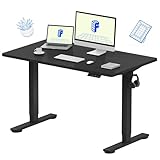


Top 3 picks at a glance
Quick comparison of the affordable picks
| Pick | Best for | Key specs (class) | Typical price |
|---|---|---|---|
| FlexiSpot E7 (dual-motor, 3-stage legs) | Best overall, dual monitors plus a tower | Dual motor, wide height range, heavy-duty capacity per the manufacturer | $400–$600 |
| IKEA Trotten | Best budget full desk | Electric, 2-stage legs, 120×70 or 160×80 cm tops, about 70 kg class rating | $250–$450 |
| Compact single-motor frame (100–120 cm top) | Small rooms, one-monitor setups | Single motor or dual small motors, 40–70 kg rating, ~60–125 cm height range | $150–$300 |
| Sit-stand desktop converter | Keeping a desk you already own | Gas spring or electric riser, 10–20 kg load, 80–90 cm wide | $100–$250 |
| Fully Jarvis (bamboo or laminate) | Step-up pick for stability and warranty | Dual motor, 3-stage legs, large top choices | $500–$800 |
Prices are general market ranges and shift with sales, top size and shipping. Check the manufacturer’s current spec sheet for load rating and height range before you order.
Best overall: FlexiSpot E7-class dual-motor desk
A dual-motor frame with three-stage legs is the sweet spot for gaming. The two motors lift a loaded top evenly, and three stages give a taller maximum height and a lower minimum than most budget two-stage frames. That range matters if you are under 165 cm or over 190 cm. It suits dual-monitor arms, a tower on the desk and a heavy 140–160 cm top.
Trade-off: you pay for the frame and the top separately on some configurations. The assembled price can drift toward $600, and shipping boxes are heavy (often 35–50 kg total).
Best budget: IKEA Trotten
The Trotten is a plain, electric, two-stage desk with a known return and warranty process. It works well for one or two monitors on arms or stands and a keyboard setup. It is a good fit if you want the lowest total cost without a no-name frame.
Trade-off: the load rating sits in the 70 kg class and the height range is narrower than three-stage frames. Tall users should confirm that the top reaches their elbow height (see the table below). Wobble at full height is more noticeable with heavy monitor arms.
Best for small spaces: compact single-motor frame
If your room can only take a 100–120 cm top, a compact frame keeps the cost near $150–$300. It handles a single 27-inch monitor, a laptop dock and a keyboard. Pair it with a monitor arm clamped to the rear edge so you do not lose depth.
Trade-off: a single motor lifts slowly under load, and lower-rated frames can shake while you use a mouse at standing height. Skip it for a PC tower on the desk.
Best if you keep your desk: sit-stand converter
A converter sits on your current desk and lifts the keyboard and monitor. It costs the least and works with an L-shaped or corner desk. It is also the only option if you cannot move furniture.
Trade-off: the monitor and keyboard rise together, so the keyboard-to-screen distance can feel cramped, and two 27-inch monitors usually exceed the load limit. Pick one with a separate keyboard tray if you can.
Step-up pick: Fully Jarvis
The Jarvis costs more than the other picks here, so it is not strictly cheap. It earns a place as a stretch option for people who want a large top, solid stability at full height and a longer warranty. If your budget reaches $600 or more, compare it directly with the E7 class.
Trade-off: the price is the main drawback, and the top and frame are priced separately.
How to choose: the numbers that matter
1. Add up your load, then keep a margin
A worked example for a typical gaming setup:
- Two 27-inch monitors at about 6 kg each: 12 kg
- Two monitor arms (or one dual arm): about 3 kg
- Mid-tower PC on the desk: 12 kg
- Speakers, headset stand, lamp: 4 kg
- Keyboard, mouse pad, accessories: 3 kg
The total is about 34 kg. Aim to stay under roughly 60–65% of the rated capacity, because rated load figures come from static or ideal conditions. That gives 34 ÷ 0.65 ≈ 52 kg, so a frame rated at 70 kg is enough. If you put the tower on the desk and add a third screen, move to a 100 kg-plus dual-motor frame. Moving the tower to the floor saves 12 kg and lets a cheaper frame cope.
2. Match the height range to your body
A common ergonomic rule of thumb puts standing elbow height near 63% of your height. Subtract about 4 cm for the top thickness and keyboard so the desk surface sits slightly below your elbow.
| Your height | Approx. elbow height standing | Target desktop height (minus ~4 cm) | Frame max height needed |
|---|---|---|---|
| 160 cm | 101 cm | 97 cm | ~100 cm+ |
| 170 cm | 107 cm | 103 cm | ~105 cm+ |
| 180 cm | 113 cm | 109 cm | ~110 cm+ |
| 190 cm | 120 cm | 116 cm | ~118 cm+ |
| 200 cm | 126 cm | 122 cm | ~124 cm+ |
These are approximations. Tall users should confirm the max height in the spec sheet, and choose a three-stage frame if the two-stage limit falls short.
3. Pick the top size by depth, not width
For a 27-inch monitor, you want about 60–70 cm of viewing distance. A 70 cm deep top works with an arm that pushes the screen back, while 80 cm is more comfortable with a stand-mounted monitor. Width of 140 cm fits a single monitor plus a mouse area. Width of 160 cm suits dual monitors and speakers.
4. Decision matrix by situation
| Your situation | Choose | Why |
|---|---|---|
| Dual monitors, tower on desk | Dual-motor, 100 kg+ rating | Load margin and stability at height |
| One monitor, tower on floor | IKEA Trotten or a compact frame | Loads under 25 kg |
| Over 190 cm tall | Three-stage frame | Max height of ~118 cm or more |
| Rented room, cannot buy a big desk | Converter | Keeps your existing desk |
| Heavy ultrawide plus arm | Dual motor with a 25 mm top | Less wobble with long arms |
5. Features worth paying for and ones to skip
- Worth it: dual motors, a collision sensor, at least 3-4 memory presets, and a cable tray.
- Worth it: a top of at least 25 mm. Thin 18 mm tops flex under monitor arms.
- Skip: built-in USB ports, Bluetooth apps and LED lighting. They add cost without improving stability.
- Check: the warranty on the motor and controller, which is usually the first part to fail. Frame warranties vary from 5 to 15 years.
6. Reduce wobble before blaming the desk
Adjust leveling feet, tighten the frame bolts after the first week, and keep the desk at the lowest height that suits your elbows. Every extra 10 cm of extension adds visible sway. Placing the tower on the floor also lowers the top-heavy load.
Frequently Asked Questions
How much should I spend on an affordable standing desk?
Plan on $250–$600 for a full electric desk that holds two monitors and lasts years. Under $200, you are mostly buying converters or small single-motor frames. Spending above $600 buys larger tops, longer warranties and slightly better stability.
Is a dual-motor desk worth the extra cost over single-motor?
For gaming setups, usually yes. Two motors lift loads evenly, move faster and tend to carry higher ratings. A single-motor desk is fine for one monitor and a laptop but can strain with a tower and two screens.
Can a standing desk hold a gaming PC tower?
Yes, if you add its weight to your total load and stay within about 60–65% of the rated capacity. A 12 kg tower on a 100 kg-class dual-motor desk is fine. Many people place it on the floor to reduce wobble and keep the top clear.
Do I need a desk mat or anti-fatigue mat?
An anti-fatigue mat is a helpful addition if you stand for more than 20–30 minutes at a time. A desk mat on top is optional, but a large one can protect the surface from monitor arm clamps and keep the mouse stable.
How often should I switch between sitting and standing?
A common suggestion is to alternate every 30–60 minutes and not to stand all day. Start with short standing blocks and increase them gradually. Use memory presets so changing height takes one button press.
Will my desk fit through my door and up the stairs?
Check the shipped box size. Many 160 cm tops arrive in boxes about 165 cm long and 35–50 kg total, and frames often come in a separate box. If the stairs are tight, a 120–140 cm top is easier to carry.
Related guides
More from Amazon
Programs that pair well with the guide above. Offers and eligibility are set by Amazon and may change.
A free business account with business pricing and bulk-buying tools for work, shop or home office.
Create a business accountFree shipping on eligible items, Prime Video and more. Eligible new members can start with a free trial.
Start a Prime free trialAudiobooks and podcasts to listen to on the go. Eligible new members can start with a free trial.
Try Audible freeAd-free music streaming. Eligible new subscribers can start with a free trial.
Try Music Unlimited freeAs an Amazon Associate we earn from qualifying purchases.


