The best 11-inch travel laptop in 2026 is usually an 11.6-inch Chromebook for under $400, or an 11-inch iPad with a keyboard case if you want more speed and a better screen. True 11-inch Windows laptops are now rare, so a 13-inch ultralight is the realistic fallback when you need Windows apps. This guide covers each class, the decision criteria that matter, and the battery math that spec sheets leave out.
As an Amazon Associate we earn from qualifying purchases at no extra cost to you.
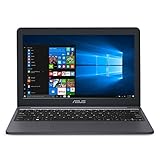
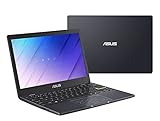

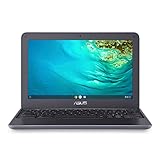
Top 3 picks at a glance
Quick comparison: 11-inch travel options
| Pick | Best for | Key specs (typical) | Price range |
|---|---|---|---|
| Lenovo 100e Chromebook Gen 4 (11.6″) | Cheapest rugged carry | 11.6″ 1366×768, about 2.6–2.8 lb, 42 Wh class battery, ChromeOS | Usually $200–$350 |
| Acer Chromebook Spin 311 class (11.6″ convertible) | Touch, tent mode for flights | 11.6″ touch, about 2.3–2.5 lb, 360° hinge, ChromeOS | Usually $250–$400 |
| ASUS Chromebook CR11 Flip class (11.6″) | Kids, hostels, rough bags | 11.6″ touch, ruggedized shell, about 2.7 lb | Usually $250–$400 |
| iPad Air 11-inch (M3) + Magic Keyboard | Fastest 11-inch, best screen | 11″ 2360×1640 display, about 1.0 lb tablet plus about 1.4 lb keyboard | Usually $900–$1,200 as a bundle |
| iPad Pro 11-inch (M5) + keyboard | Premium, lightest total weight | 11″ OLED, about 1 lb tablet, keyboard adds about 1 lb+ | Usually $1,300–$1,700 as a bundle |
| 13-inch ultralight (e.g. MacBook Air 13″ M4, Surface Laptop 13″) | Full desktop OS in a small bag | 13″ display, about 2.7 lb, 15–18 hr class battery | Usually $800–$1,300 |
Specs above are typical class figures from manufacturer spec sheets. Configurations and prices vary by region and retailer, so check the exact SKU before buying.
Best cheap 11-inch laptop: Lenovo 100e Chromebook Gen 4 class
This is the pick if you want something you will not worry about losing. It uses an 11.6-inch 1366×768 panel, a small 42 Wh-class battery and ChromeOS. It suits note-taking, email, browser work, streaming and Android apps.
Trade-off: the low-resolution, dim screen is the weakest part. It is readable indoors but poor on a sunny train window. Local gaming is limited to Android and lightweight web titles, though cloud gaming works well if the Wi-Fi is decent.
Best convertible: Acer Chromebook Spin 311 class
A 360° hinge lets you flip the screen into tent or tablet mode, which helps on a tray table where an open clamshell would hit the seat in front. Touch support also makes Android games and streaming apps more usable.
Trade-off: convertibles run heavier than a bare 11-inch clamshell and usually have a glossy screen with reflections. Entry-level processors (MediaTek or Intel N-series class) can stutter with many tabs open. Look for 8 GB of RAM instead of 4 GB.
Best rugged pick: ASUS Chromebook CR11 Flip class
Rubberized bumpers, reinforced ports and spill-resistant keyboards are common in this class. It suits hostels, kids’ backpacks and field work where drops are likely.
Trade-off: the rugged build adds bulk and weight, and the screens are usually basic HD panels. You are paying for durability, not performance.
Best for performance: iPad Air 11-inch (M3) with Magic Keyboard
If “11-inch” matters more than “laptop,” an 11-inch iPad is the strongest option. The display is sharper and brighter than any 11.6-inch Chromebook, the M-series chip is far faster, and iPadOS handles console-quality mobile games and cloud gaming apps. The tablet itself weighs about a pound, so you can leave the keyboard behind on short trips.
Trade-off: the total cost is several times a Chromebook’s, and iPadOS is not a desktop OS. No full Steam client, no desktop Windows apps and more limited file and multi-window handling. The iPad Pro 11-inch (M5) adds an OLED screen and more power but costs noticeably more and is overkill for most travelers.
Best for Windows or macOS: a 13-inch ultralight instead
Few new 11-inch Windows laptops are sold now, and those that are tend to be low-power models. If you need Excel macros, Steam, a full browser with extensions or developer tools, a 13-inch ultralight such as the MacBook Air 13-inch (M4) or Surface Laptop 13-inch is a better buy. Both weigh around 2.7 lb, which is close to many 11.6-inch Chromebooks, and offer much longer battery life.
Trade-off: the footprint is about 1.5–2 inches wider than an 11.6-inch machine, and they cost two to four times as much.
How to choose: decision criteria with numbers
1. Weight and footprint
An 11.6-inch 16:9 laptop is typically about 11 inches wide and 8 inches deep. A 13-inch is about 11.7–12 inches wide and 8.2–8.5 inches deep. In practice, the difference in a bag is smaller than you’d expect. Weight is the better filter: a 2.3–2.8 lb laptop plus a 0.4 lb charger is about 3 lb on your shoulder all day.
2. Battery runtime: a worked calculation
Runtime in hours is roughly battery capacity (Wh) divided by average system draw (W). Using a 45 Wh battery, typical of this class:
| Workload | Average draw (approx.) | Runtime = 45 Wh ÷ draw |
|---|---|---|
| Writing, light browsing, dim screen | 5 W | 9 hours |
| Streaming video over Wi-Fi | 7 W | 6.4 hours |
| Video calls, many tabs | 9 W | 5 hours |
| Cloud gaming, 1080p stream | 11 W | 4.1 hours |
These draws are typical estimates, not measurements of any specific model. Real runtime will be lower than the manufacturer’s quoted figure, which is usually based on a light, low-brightness loop. As a rule of thumb, plan on 70–80% of the claimed number. For a 6-hour flight with streaming, you need about 45 Wh of real capacity, so a laptop claiming 10+ hours is the safer buy.
3. Screen: resolution and brightness
Avoid 1366×768 if you will do more than light browsing, because it fits very little on screen. At 11 inches, a 1920×1080 or 3:2 panel (like the iPad’s) is far more usable. Aim for 300 nits or more if you will work near windows. Many budget Chromebooks sit near 220–250 nits.
4. Memory and storage
For ChromeOS, 4 GB works for a handful of tabs and 8 GB is the sensible minimum for travel with video calls. Storage of 64 GB is enough on ChromeOS if you rely on cloud files, but that leaves little room for offline Android games and downloaded video. Choose 128 GB if you plan to download entertainment for flights.
5. Wi-Fi and cloud gaming
If gaming is your reason to travel with a small laptop, cloud streaming is the realistic route. NVIDIA’s GeForce NOW guidance recommends roughly 15 Mbps for 720p at 60 fps and about 25 Mbps for 1080p at 60 fps. Hotel and airport Wi-Fi often cannot hold that consistently, and latency matters more than raw speed. Wi-Fi 6 or newer helps in crowded spaces. Packing a small travel router or using a phone hotspot is often the better fix.
6. Ports and charging
Look for USB-C charging, ideally with a charger of 45 W or less so it stays small. Two USB-C ports let you charge and connect a drive or dongle at once. A headphone jack is useful on flights. Note that carry-on lithium batteries are generally limited to 100 Wh for spare packs without airline approval, so check airline rules if you travel with a large power bank.
Decision matrix: match your situation to a pick
| If you… | Choose | Why |
|---|---|---|
| Want the cheapest backup laptop for trips | 11.6″ Chromebook, 4–8 GB RAM | Low cost, replaceable, adequate for web work |
| Work on planes in tight seats | 11.6″ convertible Chromebook or iPad + keyboard | Smaller open depth, tent mode |
| Travel with kids or in rough conditions | Rugged Chromebook class | Spill-resistant, drop-tolerant |
| Want cloud gaming plus mobile games | 11-inch iPad Air or Pro | Fast chip, better display |
| Need desktop apps (Office macros, Steam, dev tools) | 13″ ultralight Windows or Mac | Full OS with long battery life |
What to skip
- Windows laptops with 4 GB of RAM and eMMC storage. They feel slow once updates install.
- Models with no stated battery capacity or only a “up to” hour claim and no Wh figure.
- Used machines with an expired ChromeOS auto-update date. Google lists this per model, and it affects security.
- Gaming laptops sold as “compact.” Real gaming hardware needs cooling, and almost none exist in an 11-inch body today.
Frequently Asked Questions
Are there any good 11-inch Windows laptops in 2026?
Very few. Most new 11-inch to 12-inch devices are Chromebooks or Windows tablets with detachable keyboards. For a full Windows laptop in a small package, a 13-inch ultralight is the more practical choice and is often similar in weight.
Can an 11-inch laptop play PC games?
Not demanding ones. Entry-level 11.6-inch laptops have weak integrated graphics, so they are best for cloud gaming, browser games, emulators and Android titles. For local 3D games you would need a larger laptop with a dedicated GPU.
Is an 11-inch iPad with a keyboard a real laptop replacement?
For writing, browsing, email, video calls and media, yes. It falls short if you rely on desktop-only software, complex file management or multiple external displays with full window control. Try your own workflow before replacing a laptop with one.
How much RAM do I need on an 11-inch Chromebook?
4 GB works for light use, but 8 GB is a better target for travel because video calls and multiple tabs quickly consume memory. If you run Android apps or Linux tools, 8 GB makes a noticeable difference.
How long should the battery last for a long flight?
Divide the battery’s watt-hours by an average draw of 6–8 W for streaming. A 45 Wh battery gives roughly 6–7.5 hours, so for a 6-hour flight you want a margin. Choose a laptop with at least that much real runtime, or carry a USB-C power bank within airline limits.
Is 11 inches too small for working all day?
For most people it is fine for a few hours at a time but tiring beyond that, especially at 1366×768. A higher-resolution panel and a travel stand or external monitor at the hotel make a big difference. If you work full days on the road, 13 inches is the more comfortable minimum.
Related guides
More from Amazon
Programs that pair well with the guide above. Offers and eligibility are set by Amazon and may change.
A free business account with business pricing and bulk-buying tools for work, shop or home office.
Create a business accountFree shipping on eligible items, Prime Video and more. Eligible new members can start with a free trial.
Start a Prime free trialAudiobooks and podcasts to listen to on the go. Eligible new members can start with a free trial.
Try Audible freeAd-free music streaming. Eligible new subscribers can start with a free trial.
Try Music Unlimited freeAs an Amazon Associate we earn from qualifying purchases.


