The best RTX 3070 gaming laptop in 2026 is a thick-chassis model where the GPU runs at 115W or more, such as a Lenovo Legion 5 Pro or Legion 7 or an Alienware m15 R6, paired with 16GB of RAM and a 1440p panel. The RTX 3070 Laptop GPU is a 2021-generation chip, so nearly every purchase today is used, refurbished or leftover new stock. Its power limit (TGP) matters more than the laptop brand, because the same “3070” label spans roughly 80W to 125W+ and the performance gap is real.
As an Amazon Associate we earn from qualifying purchases at no extra cost to you.
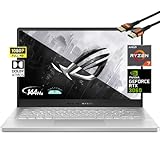
Quick comparison of the best 3070 laptop picks
Most of these laptops were sold in several configurations. Always confirm the exact GPU, TGP, RAM and display on the unit you are buying. Prices are general used and refurbished market ranges and vary by condition and region.
| Pick | Best for | Typical 3070 config | Price range (used/refurb) |
|---|---|---|---|
| Lenovo Legion 5 Pro (16ACH6H) / Legion 7 | Best overall | RTX 3070, high-TGP tuning, 16-inch 16:10 QHD 165Hz (Legion 5 Pro) | Usually $800–$1,200 |
| Alienware m15 R6 | Best for 1440p high refresh | RTX 3070, Core i7-11800H, QHD 240Hz option | Usually $850–$1,300 |
| Acer Predator Helios 300 (2021) | Best value | RTX 3070, Core i7-11800H, 144–165Hz 1080p | Usually $700–$1,000 |
| ASUS ROG Zephyrus M16 (2021) | Best thin-and-light all-rounder | RTX 3070 Max-Q class, 16-inch 16:10 display | Usually $900–$1,400 |
| Razer Blade 15 (2021) | Best build quality / portability | RTX 3070 Max-Q, 15.6-inch QHD or FHD | Usually $900–$1,400 |
What an RTX 3070 laptop actually is
Per Nvidia’s spec sheet, the RTX 3070 Laptop GPU has 5,120 CUDA cores, 8GB of GDDR6 on a 256-bit bus, and a configurable power range from about 80W to 125W, with Dynamic Boost adding up to roughly 15–25W more from the CPU budget on some designs. Its memory bandwidth is about 448 GB/s at 14 Gbps. That 8GB frame buffer is the part to watch in 2026, not raw speed.
Best overall: Lenovo Legion 5 Pro or Legion 7
Legion laptops from this generation are known for relatively high GPU power limits and thermal designs that sustain them. The Legion 5 Pro’s 16:10 QHD panel at 165Hz is well matched to the 3070, and the keyboard and port selection suit a desktop-replacement setup. Trade-off: they are heavy, around 2.5kg or more, and battery life under load is short.
Best for 1440p high refresh: Alienware m15 R6
The m15 R6 offered a QHD 240Hz option and a cooling design that handled a 3070 and an H-series Core i7 well. It suits players who want to run esports titles at high frame rates at 1440p. Trade-off: prices on the used market are inflated by the brand, and the fan noise at full load is high.
Best value: Acer Predator Helios 300 (2021)
The Helios 300 pairs a 3070 with a straightforward 1080p 144–165Hz panel and upgradeable RAM and storage. That makes it the cheapest route to 3070-class performance. Trade-off: the chassis is plasticky, and some configurations ship with single-channel RAM or a slower SSD, which you should fix on day one.
Best thin-and-light: ASUS ROG Zephyrus M16 (2021)
The M16 puts a 3070-class GPU in a 16-inch chassis that looks closer to a work laptop. It suits students and travelers who game on the side. Trade-off: a lower-TGP GPU, so expect noticeably less performance than a thick Legion with the same chip name.
Best build quality: Razer Blade 15 (2021)
The Blade 15 has an aluminum unibody, a good trackpad and a clean display, and it holds resale value. Trade-off: it runs hot at the surface, and used units commonly show battery swelling or heavy wear, so inspect the battery and chassis carefully.
Why the 3070’s TGP matters: a worked power budget
Take two laptops, both listed as “RTX 3070”, and compare their power budgets under a gaming load.
| Component | Thick laptop | Thin laptop |
|---|---|---|
| GPU power (TGP) | ~125W | ~80W |
| CPU under gaming load | ~45W | ~35W |
| Display, RAM, SSD, fans, other | ~30W | ~25W |
| Total system draw | ~200W | ~140W |
| Typical charger | 230–240W | 150–180W |
| Runtime on a 90Wh battery (gaming) | ~0.45 hours | ~0.65 hours |
The runtime figures divide battery capacity by draw (90Wh ÷ 200W = 0.45h; 90Wh ÷ 140W ≈ 0.64h) and ignore conversion losses, so treat them as upper bounds. Reviews of 3070 laptops commonly show the 125W versions running roughly 10–20% faster in GPU-heavy games than 80–90W versions. The exact gap varies by game, resolution and cooling. That is why a heavier laptop with a high TGP often beats a thin one that costs more.
How much VRAM do you need at each resolution?
The 8GB buffer is the main limit of this GPU. These are approximate allocations in recent demanding games, and they vary heavily by title, texture setting and ray tracing.
| Resolution | Typical VRAM use (high settings) | Verdict on 8GB |
|---|---|---|
| 1920×1080 | 5–7GB | Comfortable, ray tracing may need tuning |
| 2560×1440 | 6.5–8GB+ | Fine with high (not ultra) textures |
| 3840×2160 (external display) | 8–11GB | Needs DLSS and medium textures |
As a rough guide, a 3070 laptop typically delivers 60–100+ FPS at 1080p high settings in modern AAA games and often 100+ FPS in esports titles. Figures at 1440p are typically 20–30% lower. These ranges vary with settings, CPU, driver and game patch, so check reviews for your specific games.
Decision matrix: which 3070 laptop fits you
| Your situation | Choose | Why |
|---|---|---|
| Mostly plugged in at a desk, want the most FPS | Legion 5 Pro / Legion 7, 115W+ TGP | Highest sustained GPU power |
| Competitive shooters at 1440p | Alienware m15 R6 QHD 240Hz | Panel and GPU match for high refresh |
| Tight budget, willing to upgrade RAM | Predator Helios 300 | Lowest cost 3070 route |
| Carry it daily to class or work | Zephyrus M16 or Blade 15 | Lighter, better looking, lower TGP |
| Want to play at 4K on a TV or monitor | Consider a newer RTX 4060/4070 laptop | 8GB VRAM and no frame generation on the 3070 |
What to check before buying a used 3070 laptop
- GPU TGP: look for the Nvidia control panel or HWiNFO reading, or the maker’s spec sheet. Under 90W means a Max-Q-style tune.
- Battery health: run a battery report in Windows (powercfg /batteryreport) and compare full charge capacity with the design capacity. Below 60% means a replacement is likely.
- Thermals: run a 15-minute stress test or a demanding game. GPU temperatures above 85°C with the fans maxed suggest dried thermal paste, which a repaste usually fixes.
- RAM configuration: make sure it is dual-channel 16GB at minimum. Single-channel RAM can cost noticeable FPS in CPU-limited games.
- Display and hinges: check for backlight bleed, dead pixels and hinge looseness, which are common on heavily used units.
- Warranty and return window: refurbished units from reputable sellers with at least a 90-day warranty are safer than private sales.
Is a 3070 laptop still worth it in 2026?
It is worth buying if the price sits in the $700–$1,100 range for a verified high-TGP unit. In that range it competes with newer RTX 4050 and 4060 laptops in raster performance. However, newer cards bring DLSS 3 frame generation, better efficiency and longer battery life, so above roughly $1,200 a new mid-range laptop is generally the better buy.
Frequently Asked Questions
Is the RTX 3070 laptop GPU as fast as the desktop RTX 3070?
No. The laptop version uses a smaller power budget and a different chip configuration, so it generally lands closer to a desktop RTX 3060 Ti or a bit lower, depending on TGP. A 125W model comes closest.
How much VRAM does the laptop RTX 3070 have?
It has 8GB of GDDR6 on a 256-bit bus, per Nvidia’s specifications. That is enough for 1080p and most 1440p gaming, but it can run short in the newest games at maximum textures or with heavy ray tracing.
Does the RTX 3070 laptop support DLSS?
It supports DLSS 2 upscaling and Nvidia Reflex, but not DLSS 3 frame generation, which requires RTX 40-series hardware. AMD’s FSR frame generation can be used in supported games as an alternative.
How long do 3070 laptops last on battery while gaming?
Usually under an hour. A system drawing 140–200W empties a 90Wh battery in roughly 27–40 minutes of gaming. Plug in for gaming and use the battery for light work only.
Should I choose an RTX 3070 or a 3070 Ti laptop?
The 3070 Ti Laptop GPU uses the same 8GB memory layout with a faster chip and a higher power ceiling, and the difference is modest. If a 3070 laptop with better cooling and a higher TGP costs less, it will often match or beat a lower-powered 3070 Ti.
Can I upgrade a 3070 laptop later?
The GPU and CPU are soldered, but most models let you upgrade RAM and add or replace M.2 SSDs. Moving to 32GB of dual-channel RAM and a 1TB NVMe drive is the most useful upgrade for the money.
Related guides
More from Amazon
Programs that pair well with the guide above. Offers and eligibility are set by Amazon and may change.
A free business account with business pricing and bulk-buying tools for work, shop or home office.
Create a business accountFree shipping on eligible items, Prime Video and more. Eligible new members can start with a free trial.
Start a Prime free trialAudiobooks and podcasts to listen to on the go. Eligible new members can start with a free trial.
Try Audible freeAd-free music streaming. Eligible new subscribers can start with a free trial.
Try Music Unlimited freeAs an Amazon Associate we earn from qualifying purchases.


