The best business hybrid laptop for most people is a 14-inch convertible such as the Lenovo ThinkPad X1 2-in-1, because it combines a proper keyboard, a pen-ready touchscreen and enterprise manageability in a body that still works as a laptop. If you mostly read, annotate and travel, a detachable like the Microsoft Surface Pro for Business is the better fit. In both cases, a 16 GB RAM minimum, a 16:10 screen and a battery of roughly 50 Wh or more matter more than the CPU badge.
“Hybrid” here means a 2-in-1: either a convertible that folds its keyboard back, or a detachable tablet with a keyboard cover. The business part comes from features a consumer model usually lacks: TPM 2.0 and fingerprint or IR login, vPro or comparable remote management, longer warranty options, and firmware and driver support for fleet deployment. Model names below are current-generation lines. Always check the exact generation and configuration before you buy, because vendors refresh them yearly.
As an Amazon Associate we earn from qualifying purchases at no extra cost to you.


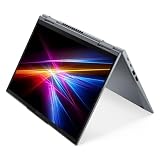

Top 3 picks at a glance
Quick comparison of the top picks
| Pick | Best for | Form factor | Key specs (class) | Typical price |
|---|---|---|---|---|
| Lenovo ThinkPad X1 2-in-1 (current gen) | Best overall | 14″ convertible | Intel Core Ultra, 16-32 GB RAM, OLED option, pen support | $1,700–$2,500 |
| Microsoft Surface Pro for Business (current gen) | Best detachable | 13″ tablet + keyboard cover | Snapdragon X-series or Intel options, 120 Hz display, ~0.9 kg tablet | $1,200–$2,300 (keyboard often extra) |
| HP EliteBook x360 1040 (G11 and newer) | Best for managed fleets and security | 14″ convertible | Core Ultra, 16:10 touchscreen, Wolf Security-class features, vPro options | $1,500–$2,300 |
| Lenovo ThinkPad L13 Yoga class | Best budget | 13″ convertible | Core Ultra 5 or Ryzen Pro class, 16 GB RAM, 512 GB SSD | $900–$1,400 |
| Dell Latitude 7350 Detachable | Best for field work and ultra-light carry | 13″ detachable | Core Ultra, fanless-leaning design, pen and keyboard options | $1,400–$2,200 |
Best overall: Lenovo ThinkPad X1 2-in-1
The ThinkPad X1 2-in-1 is the safest default. It keeps the ThinkPad keyboard feel that long-document typists look for, offers a tall 16:10 touchscreen (an OLED option is available in recent generations, per Lenovo’s spec sheet), and ships with the security and management features IT departments ask for. It suits consultants, managers and anyone who is in meetings all day and writes more than they sketch.
Trade-off: It costs more than comparable consumer convertibles, and a 14-inch folding body is heavy as a pure tablet. If you will hold it one-handed for an hour, a detachable is more comfortable.
Best detachable: Microsoft Surface Pro for Business
The Surface Pro for Business is the strongest tablet-first choice. The tablet alone weighs roughly 0.9 kg, the display runs at up to 120 Hz, and the kickstand and pen workflow suit note-taking, PDF markup and field sign-offs. Microsoft sells business editions with firmware management support through its enterprise tools, and recent generations offer Arm-based Snapdragon X-series chips with strong battery life.
Trade-off: The keyboard cover and pen are usually sold separately, so budget $150–$350 more. Lap typing is also less stable than on a convertible, and Arm models need a check that your line-of-business apps, VPN client and drivers run natively or through emulation.
Best for managed fleets: HP EliteBook x360 1040
If you are buying ten or more machines, the EliteBook x360 1040 line makes sense. HP builds in hardware-level security features, offers vPro configurations, and sells multi-year service plans with on-site options. The 14-inch 16:10 convertible form factor is a close match to the X1 2-in-1 for everyday work.
Trade-off: Pricing varies widely between direct and reseller channels. Some configurations use a mid-tier panel, so confirm brightness (400 nits or more is a sensible target for office windows) in the exact SKU.
Best budget: ThinkPad L13 Yoga class
For small teams and freelancers, a 13-inch business convertible in the L13 Yoga class gives you a touchscreen, a pen option, a business-grade keyboard and a TPM chip at a lower price. Aim for a Core Ultra 5 or Ryzen Pro-class chip, 16 GB of RAM and a 512 GB SSD.
Trade-off: Expect a dimmer, lower-gamut display, a thicker chassis and a smaller battery than premium lines. Avoid 8 GB RAM configurations, since they age quickly with browser tabs, Teams and Excel open together.
Best for field work: Dell Latitude 7350 Detachable
The Latitude 7350 Detachable is for people who carry a device all day: site inspectors, sales reps, clinicians. It is a light 13-inch tablet with a keyboard cover, and Dell’s Latitude line has strong IT deployment tools.
Trade-off: Like all detachables, it has fewer ports and limited upgradeability, so plan around a dock or hub.
How to choose: decision matrix
| Your situation | Choose | Why |
|---|---|---|
| Types 4+ hours a day, occasional pen use | 14″ convertible (X1 2-in-1, EliteBook x360) | Rigid base, full-travel keyboard, stable on a lap |
| Reads, signs, annotates; stands or travels | 13″ detachable (Surface Pro, Latitude 7350) | Lowest tablet weight, best hand-held comfort |
| Fleet of 10+ with IT policies | EliteBook x360 or ThinkPad with vPro | Remote management, warranty and imaging support |
| Legacy Windows apps, custom drivers | x86 Intel or AMD model | Avoids Arm compatibility checks |
| Max battery life, mostly web and Office | Arm-based Snapdragon model, after app test | Typically lower idle and light-load power draw |
| Under $1,000 per seat | 13″ budget convertible, 16 GB RAM | RAM and SSD matter more than a faster CPU |
Worked example: how long will the battery really last?
Battery runtime is capacity in watt-hours divided by average system power draw. Manufacturer “up to” figures usually reflect video playback at low brightness, not a Teams-heavy workday. Use this formula to sanity-check any model:
Runtime (hours) = battery Wh ÷ average watts.
| Workload | Typical average draw | 57 Wh battery | 50 Wh battery |
|---|---|---|---|
| Light: email, docs, 150 nits | 6 W | 9.5 h | 8.3 h |
| Mixed: browser tabs, Teams, 250 nits | 10 W | 5.7 h | 5.0 h |
| Heavy: video calls plus Excel models, 350 nits | 15 W | 3.8 h | 3.3 h |
| Bursty: exports, VMs, light creative work | 25 W | 2.3 h | 2.0 h |
The wattages above are illustrative planning figures, and real draw varies with the chip, panel and software. If your day is “mixed” and you want a full 8-hour workday, you need an average of about 7 W on a 57 Wh pack, which is only realistic with an efficient chip, a lower brightness setting or an Arm model. Otherwise, plan on a 65 W USB-C charger in your bag. Also note that OLED panels draw more with white-heavy documents and dark mode helps, while 120 Hz modes cost a little more than 60 Hz.
Specs that matter for a business hybrid
- RAM: 16 GB minimum. Most thin hybrids use soldered memory, so you cannot add it later. Choose 32 GB if you run VMs, large spreadsheets or many browser profiles.
- Storage: 512 GB. Many Windows business images, Office caches and local Teams data take 100–150 GB quickly. A 256 GB drive leaves little headroom.
- Display: 16:10 (or 3:2), 400+ nits, touch with pen support. The taller ratio fits more document lines. Look for anti-glare or low-reflection coatings if you work near windows.
- Ports: At least two USB-C with Thunderbolt 4 or USB4 for a dock and a monitor. A detachable with only two ports will need a hub.
- Security and management: TPM 2.0, IR or fingerprint login, a webcam privacy shutter, and vPro or an equivalent if your IT team uses remote management.
- Pen: Check which pen is bundled. Some models include it and others sell it separately.
- Warranty: Business lines offer 3-year plans and accidental damage cover. For a device with a hinge or a detachable connector, this is worth the extra $80–$250.
Can a business hybrid laptop game?
Only lightly. These models use integrated graphics, so expect esports and older titles at 1080p low to medium settings, with frame rates that vary widely by game, CPU and drivers. They are not replacements for a gaming laptop with a dedicated GPU, but they work well for cloud gaming and for remote desktop sessions to a home rig.
Frequently Asked Questions
What is the difference between a hybrid laptop and a 2-in-1?
The terms are used interchangeably. Both describe a laptop that can also work as a tablet, either by folding the screen back on a 360-degree hinge (convertible) or by detaching the screen from a keyboard (detachable). Business versions add security and management features.
Is a convertible or a detachable better for work?
A convertible is better if you type most of the day, as the keyboard is attached and the base is stable on a lap. A detachable is better if you hold the device, take notes standing up or travel light. If you are unsure, pick a convertible, since a heavy tablet is a smaller problem than a wobbly keyboard.
How much RAM does a business hybrid laptop need?
16 GB is the practical minimum in 2026 for Teams, a browser with many tabs and Office. Choose 32 GB if you use virtual machines or large data files. Because the RAM is usually soldered, you must pick the right amount at purchase.
Are Arm-based business 2-in-1s a safe buy?
They are a good choice for many office workflows, and they often offer excellent battery life. The risk is with niche software, older VPN clients, printers and drivers. Test your critical apps on a loaner or trial unit, or check your vendor’s compatibility lists before you roll out a fleet.
Do I need vPro on a business laptop?
Only if your IT team uses remote out-of-band management or fleet-wide security policies tied to it. For freelancers and small teams, a standard Core Ultra or Ryzen Pro chip is usually enough. Ask your IT provider before paying the premium.
How long should a business hybrid laptop last?
Most organizations plan on a three- to five-year lifecycle. A configuration with 16 GB or more of RAM, a 512 GB SSD and a 3-year warranty is the best way to reach the longer end of that range. Hinges and detachable connectors are the most common wear points, so look for accidental damage coverage.
Related guides
More from Amazon
Programs that pair well with the guide above. Offers and eligibility are set by Amazon and may change.
A free business account with business pricing and bulk-buying tools for work, shop or home office.
Create a business accountFree shipping on eligible items, Prime Video and more. Eligible new members can start with a free trial.
Start a Prime free trialAudiobooks and podcasts to listen to on the go. Eligible new members can start with a free trial.
Try Audible freeAd-free music streaming. Eligible new subscribers can start with a free trial.
Try Music Unlimited freeAs an Amazon Associate we earn from qualifying purchases.


