The best gigabit router for CenturyLink fiber is the ASUS RT-BE86U if you want Wi-Fi 7 and a 2.5G WAN port, or the ASUS RT-AX86U Pro if you want a proven Wi-Fi 6 gaming router for less. Budget buyers will be fine with a TP-Link Archer AX55. The key requirement is not speed but compatibility: your router must support PPPoE and, in many areas, a VLAN tag (commonly ID 201) on the WAN port.
As an Amazon Associate we earn from qualifying purchases at no extra cost to you.


Our Top Picks
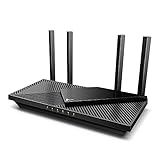
 TP-Link Dual-Band AX3000 Wi-Fi 6 Wireless Gigabit InternetAX300012.99 x 9.45 x 2.87 inches1.66 poundsCheck on Amazon
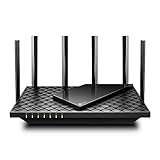
 TP-Link AXE5400 Tri-Band WiFi 6E RouterWiFi 6E, Tri-Band AXE540012.91 x 10.43 x 4.72 inches1.5 poundsCheck on Amazon


Top 3 picks at a glance
Quick comparison of the best gigabit routers for CenturyLink
| Pick | Best for | Key specs | Price range |
|---|---|---|---|
| ASUS RT-BE86U | Best overall | Wi-Fi 7 (BE6800), 2.5G WAN/LAN port, gigabit LAN ports, PPPoE and VLAN settings | Usually $200–$280 |
| ASUS RT-AX86U Pro | Best for gaming | Wi-Fi 6 (AX5700), 2.5G WAN port, gaming-focused QoS and port forwarding tools | Usually $180–$250 |
| TP-Link Archer AX55 | Best value | Wi-Fi 6 (AX3000), gigabit WAN and LAN ports, USB port | Usually $80–$130 |
| TP-Link ER605 + separate access point | Best for VLAN-heavy or wired setups | Wired gigabit router with VLAN and PPPoE support, no built-in Wi-Fi | Usually $60–$90 plus $80–$200 for the AP |
| TP-Link Archer AX21 | Best budget | Wi-Fi 6 (AX1800), gigabit ports, 2×2 dual-band | Usually $50–$80 |
What CenturyLink gigabit needs from a router
CenturyLink sells gigabit speeds over fiber (marketed as Quantum Fiber in some markets), not over DSL. The fiber ONT hands off an Ethernet connection, and a router that handles the login protocol is all you need. Per CenturyLink’s own setup guidance and common community documentation, the connection typically works like this:
- PPPoE login: many accounts authenticate with PPPoE. Your username and password come from your account or the label on the supplied gateway.
- VLAN tagging: many markets require VLAN ID 201 on the WAN interface when you use your own router. Some areas do not, so confirm with support.
- Gigabit WAN port: a 1000 Mbps WAN port is enough for plans up to about 940 Mbps. A 2.5G WAN is only useful for future headroom.
- Hardware routing for PPPoE: cheap routers may handle PPPoE in software and fall well short of 900 Mbps. Look for hardware acceleration or a CPU with enough power.
Best overall: ASUS RT-BE86U
This is a Wi-Fi 7 router with a 2.5G port and a mature firmware, which makes it the most future-proof choice here. The ASUS interface includes WAN options for PPPoE and VLAN tagging, so a CenturyLink fiber login is straightforward. It also handles wired and wireless devices in a mid-size home without extra hardware.
Trade-off: you pay extra for Wi-Fi 7 features that only matter if your phone, laptop or console supports them. A gigabit CenturyLink line will not fill the 2.5G port. Most game consoles still use Wi-Fi 6 or gigabit Ethernet.
Best for gaming: ASUS RT-AX86U Pro
This Wi-Fi 6 router suits players who want a strong CPU, a 2.5G port, and the ASUS Adaptive QoS and Game Boost tools. It handles a gigabit PPPoE connection with room to spare. Its settings for port forwarding, NAT type and device prioritization are easy to find.
Trade-off: it is a large router and costs more than basic Wi-Fi 6 models. If you wire every gaming device with Ethernet, the QoS features add less than you might expect.
Best value: TP-Link Archer AX55
The Archer AX55 is a straightforward AX3000 Wi-Fi 6 router with gigabit ports. It is a good match for a one- or two-bedroom home on a gigabit fiber plan. Per the manufacturer’s specs it supports the usual PPPoE and VLAN options, but check its WAN settings page before relying on VLAN tagging, since feature availability differs by firmware.
Trade-off: no multi-gig port, and a smaller coverage area than the higher-end ASUS models.
Best for VLAN-heavy or wired setups: TP-Link ER605 with a separate access point
The ER605 is a wired gigabit router built around VLAN, PPPoE and load-balancing features. It makes sense if you want to separate IoT devices or a home lab, or if the CenturyLink VLAN requirement has caused trouble with consumer routers. Pair it with a Wi-Fi 6 or Wi-Fi 7 access point of your choice.
Trade-off: two boxes instead of one, and more setup work. It is not the right pick if you only want something simple to plug in.
Best budget: TP-Link Archer AX21
The Archer AX21 is a 2×2 AX1800 router that fits small apartments and light use. A gigabit wired connection still works fine for a desktop or console.
Trade-off: the Wi-Fi ceiling is lower, and with many connected devices the CPU can struggle at full gigabit speeds. Treat it as a wired-first router for gigabit.
Worked example: what speed will you really get?
A “1 Gbps” plan never delivers 1,000 Mbps of file data. Each Ethernet frame carries overhead, and PPPoE adds more. For a full-size 1,500-byte MTU:
- Standard Ethernet: 1,448 bytes of TCP payload per 1,538 bytes on the wire, which is about 94.1%, or roughly 941 Mbps.
- PPPoE (MTU 1,492): 1,440 bytes of payload per 1,538 bytes, which is about 93.6%, or roughly 936 Mbps.
So the realistic wired ceiling is around 930 Mbps. Wi-Fi is lower. A 2×2 Wi-Fi 6 client on an 80 MHz channel links at up to 1,201 Mbps, but real-world throughput is often 50–65% of that, or about 600–780 Mbps in good conditions.
| Connection | Realistic speed | Time to download a 100 GB game |
|---|---|---|
| Wired gigabit with PPPoE | ~930 Mbps | ~14.3 minutes |
| Strong Wi-Fi 6, 2×2 client | ~650 Mbps | ~20.5 minutes |
| Typical mid-room Wi-Fi | ~300 Mbps | ~44 minutes |
The calculation is 100 GB × 8,000 Mb/GB ÷ speed in Mbps. The result: a wired console or PC saves roughly six to thirty minutes per big download compared with Wi-Fi, which is more than a router upgrade will gain you.
Decision matrix: which router for your situation
| Your situation | Best choice | Why |
|---|---|---|
| Gaming PC and console wired, small home | Archer AX55 or AX21 | Gigabit ports are enough, and the cost is low |
| Mostly Wi-Fi gaming, 1,500–2,500 sq ft | ASUS RT-AX86U Pro | Stronger radios and CPU, and a 2.5G port for a wired link to a NAS or PC |
| Wi-Fi 7 phones or laptops, plan to keep it 5+ years | ASUS RT-BE86U | Wi-Fi 7 plus a 2.5G port |
| Need VLANs, separate IoT network or home lab | ER605 + access point | Routing is separated from Wi-Fi, and VLAN control is better |
| Large home with dead zones | A mesh system instead | One router cannot cover every room at full speed |
CenturyLink setup steps and settings
- Connect the ONT to the router’s WAN port. Do not use a LAN port, because the router will not route traffic to the internet.
- Set the connection type to PPPoE and enter your credentials. Some fiber accounts accept any text, but use the real login if you have one.
- Enable VLAN tagging with ID 201 if your area requires it. Without it, the router often shows a link but no internet.
- Leave MTU at 1492 for PPPoE. A larger value can cause stalled pages or slow uploads.
- Power-cycle the ONT if the router does not get a session. Some ONTs remember the previous device for a while.
- Run a wired speed test to a nearby server. If you see 900 Mbps or more, the router is working correctly, and any shortfall is a Wi-Fi issue.
How to choose
- Check PPPoE and VLAN support first. This matters more than the Wi-Fi standard.
- Count your wired devices. Four gigabit LAN ports fill up quickly with a PC, console, NAS and TV.
- Be wary of multi-gig WAN ports unless you have a multi-gig plan. They are useful mainly for a wired link between devices.
- Weigh Wi-Fi 6 against Wi-Fi 7 by your devices. If few clients support Wi-Fi 7, a good Wi-Fi 6 router is the better value.
Frequently Asked Questions
Do I need to use the CenturyLink-supplied router?
Usually not. On fiber, you can connect your own router to the ONT as long as it supports PPPoE and, where required, VLAN 201. Check with CenturyLink for your area, because setup details vary.
Is a 2.5G WAN port worth it for a gigabit plan?
Not for the WAN itself, since the plan tops out around 940 Mbps. A 2.5G port is useful as a faster wired link to a NAS or PC. It also provides headroom if you later move to a faster plan.
Why does my new router show no internet on CenturyLink fiber?
The most common cause is a missing VLAN tag or wrong PPPoE credentials. Confirm the WAN is set to PPPoE with VLAN 201 where needed, then power-cycle the ONT and router.
Will a better router improve my ping in games?
Only slightly. Ping is mostly set by distance to the game server and your ISP’s routing. A good router helps by avoiding bufferbloat and Wi-Fi interference, and a wired connection helps more than any router upgrade.
Do I need a mesh system with CenturyLink gigabit?
Only if one router cannot cover your home. Mesh gives more even coverage in large or multi-story homes, but a single router with a wired gaming PC or console is simpler and often faster.
Can I use these routers on CenturyLink DSL?
They can work with a separate DSL modem in bridge mode, but DSL speeds are far below gigabit. If you do not have fiber, a cheaper router will serve you equally well.
Related guides
More from Amazon
Programs that pair well with the guide above. Offers and eligibility are set by Amazon and may change.
A free business account with business pricing and bulk-buying tools for work, shop or home office.
Create a business accountFree shipping on eligible items, Prime Video and more. Eligible new members can start with a free trial.
Start a Prime free trialAudiobooks and podcasts to listen to on the go. Eligible new members can start with a free trial.
Try Audible freeAd-free music streaming. Eligible new subscribers can start with a free trial.
Try Music Unlimited freeAs an Amazon Associate we earn from qualifying purchases.


