The best cleaning set for a gaming setup is a complete multi-tool kit: an alcohol-free screen spray, two or more plush microfiber cloths, a hand air blower, soft brushes and a keycap puller. It costs roughly $15–$30 and covers the monitor, keyboard, mouse and case. If you only game on one OLED or coated panel, a spray-and-cloth screen kit is the better buy. If your main problem is dust inside the case, buy an air blower or electric duster instead.
The picks below are described by spec class rather than individual brand listings, because kit contents change often. Check the contents list against the criteria in each section before you buy.
As an Amazon Associate we earn from qualifying purchases at no extra cost to you.


Our Top Picks


Top 3 picks at a glance
Quick comparison of the best cleaning set types
| Pick | Best for | Key contents / specs | Typical price |
|---|---|---|---|
| Complete desk-setup kit | Best overall | 100–250 ml alcohol-free spray, 2–3 microfiber cloths (30×30 cm), air bulb, brush, keycap puller | $15–$30 |
| Screen-only kit | OLED, glossy and anti-glare monitors | Ammonia- and alcohol-free spray, one 40×40 cm plush cloth, one polishing cloth | $10–$20 |
| Keyboard and mouse kit | Mechanical keyboards, mouse feet and grips | Keycap puller, detail brushes, cleaning putty or swabs, small cloth | $10–$25 |
| PC internals dust kit | Cases, fans, heatsinks, GPU shrouds | Hand blower or electric duster, ESD-safe brushes, fan-blade holder | $25–$70 |
| Budget spray-and-cloth set | Light upkeep on a tight budget | Small spray bottle plus two microfiber cloths | $6–$12 |
Best overall: the complete desk-setup kit
This is the right choice for most players with one monitor, one keyboard and one mouse. A good kit has a screen-safe spray (no alcohol, no ammonia), at least two cloths so you can wet-clean and dry-buff, and a small brush for keyboard gaps. A keycap puller is a useful extra if you own a mechanical board.
Main trade-off: every tool is small. The bottle runs out quickly on a multi-monitor desk, and the air bulb moves much less air than a proper blower. It will not clear a heavily dusty case.
Best for monitors: screen-only kit
Choose this if your display is OLED, QD-OLED or has a delicate anti-glare coating. Monitor manufacturers generally advise against ammonia, acetone and strong solvents on panel coatings. Many recommend a dry microfiber cloth first, then a slightly dampened cloth with water or a screen-safe cleaner. Check your monitor’s manual, because each brand words this differently. Brands such as Whoosh! sell alcohol-free screen cleaners aimed at this use.
Main trade-off: a screen kit does nothing for keyboards, mice or PC dust. Cloths of 40×40 cm or larger do cover a 27–32 inch panel in fewer passes.
Best for keyboards and mice
Look for a keycap puller, two brush sizes (a wide soft one and a narrow stiff one), and either swabs or cleaning putty. Putty lifts crumbs from between switches but can leave residue on some textured surfaces. Use it gently and only on keys you can see into.
Main trade-off: these kits include little cleaning fluid. For grease on keycaps and mouse shells you will want diluted isopropyl alcohol, covered below.
Best for PC internals: dust kit
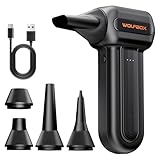
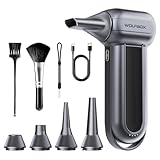
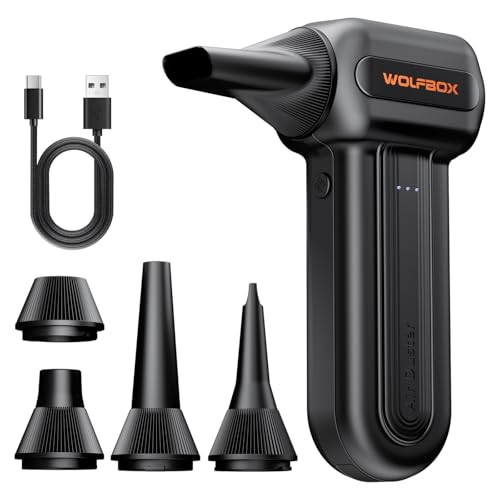
For a case with dust-clogged filters, fans and radiators, a hand-squeeze blower (for example the Giottos Rocket Air style) or a rechargeable electric duster is the better tool. Electric dusters usually offer multiple speed settings and avoid the cold, propellant-laden bursts of canned air. Pair either one with an ESD-safe brush and hold each fan still while you blow on it. A spinning fan can overspeed and be damaged.
Main trade-off: electric dusters cost more up front and are noisy. Hand blowers are cheap but tiring in a large full-tower case.
Best budget: spray-and-cloth set
Two microfiber cloths and a small bottle cover 80% of what most people need. Pick cloths of 250 GSM or higher with edgeless seams. They hold dust better and are less likely to scratch. This set is fine for a laptop, a single monitor and wiping a desk.
Main trade-off: there is no brush or puller, so keyboards and fan grilles stay dirty.
How to choose: a situation-to-kit matrix
| Your situation | Choose | Why |
|---|---|---|
| OLED or glossy monitor, little dust | Screen-only kit | Protects coatings; larger cloth |
| Mechanical keyboard with RGB, eats at desk | Keyboard and mouse kit | Puller and brushes reach under keycaps |
| Pets, carpet or open-air case | PC internals dust kit | Faster, stronger dust removal |
| Shared desk, laptop plus one monitor | Complete kit | One purchase covers everything |
| Under $10 to spend | Budget set | Cloths matter more than the spray |
Worked example: mixing isopropyl alcohol for keycaps and mouse shells
Hardware cleaning guides commonly suggest around 70% isopropyl alcohol (IPA) for plastic surfaces. It is also less harsh than higher concentrations on some finishes. Test any alcohol on a hidden spot first, and never use it on screens unless the manufacturer allows it. If you have 99% IPA, dilute with distilled water using this formula:
IPA needed = (target % ÷ starting %) × final volume
For 100 ml of 70% solution: (70 ÷ 99) × 100 ≈ 70.7 ml of 99% IPA, plus 29.3 ml of distilled water.
| Final volume | 99% IPA | Distilled water |
|---|---|---|
| 50 ml | 35.4 ml | 14.6 ml |
| 100 ml | 70.7 ml | 29.3 ml |
| 250 ml | 176.8 ml | 73.2 ml |
Apply it to a cloth, never directly to a keyboard or mouse. Always unplug or power off first.
Cleaning order that avoids re-dirtying things
- Power down and unplug. This prevents shorts and accidental key presses.
- Blow off loose dust first. Wiping dust with a cloth grinds grit across the surface.
- Clean the screen with a dry microfiber cloth. Switch to a lightly dampened cloth only for stubborn marks, and spray the cloth, not the panel.
- Brush and pull keycaps. Photograph the layout before removing keys on non-standard boards.
- Wipe shells and keycaps with the diluted IPA cloth. Let them air-dry fully before reconnecting.
- Dust the case last. Hold fans still and keep the nozzle at least a few centimeters from components.
What to avoid in any kit
- Paper towels and tissues, which can leave lint and fine scratches on coated panels.
- Ammonia-based glass sprays, which can damage anti-glare and anti-reflective coatings.
- Vacuum cleaners inside a PC, which can build static charge.
- Kits padded with many tiny, flimsy tools instead of a few good cloths and brushes.
Frequently Asked Questions
How often should I clean my gaming setup?
Wipe the screen and desk every one to two weeks, and clean the keyboard and mouse monthly. Check PC dust filters every one to three months, depending on pets, carpet and airflow. A noticeable rise in fan noise or component temperatures is a sign the case needs attention sooner.
Is it safe to use alcohol wipes on a gaming monitor?
Usually not. Many panel coatings, especially anti-glare and OLED surfaces, can be damaged by alcohol or other solvents. Follow the cleaning guidance in your monitor’s manual. If it does not mention alcohol, stick to a dry microfiber cloth or a screen-safe, alcohol-free cleaner.
Is canned air or an electric duster better for a PC?
An electric duster or hand blower is generally the better long-term choice. It avoids propellant bursts and can be reused without ongoing refills. Canned air works for occasional use if you hold the can upright and stop short bursts from spinning fans too fast.
How many microfiber cloths do I need?
Two is the practical minimum: one for dry dusting and a second for damp cleaning or buffing. Keep a separate cloth for the keyboard and desk so grease does not transfer to your screen. Wash cloths without fabric softener, which leaves residue that causes streaks.
Can I clean a mechanical keyboard without removing the keycaps?
You can do a basic job with a brush and an air blower, tilting the board upside down. For sticky spills or heavy grime, pulling the keycaps is much more effective. A keycap puller in your kit makes this fast and reduces the risk of cracking a keycap.
Related guides
More from Amazon
Programs that pair well with the guide above. Offers and eligibility are set by Amazon and may change.
A free business account with business pricing and bulk-buying tools for work, shop or home office.
Create a business accountFree shipping on eligible items, Prime Video and more. Eligible new members can start with a free trial.
Start a Prime free trialAudiobooks and podcasts to listen to on the go. Eligible new members can start with a free trial.
Try Audible freeAd-free music streaming. Eligible new subscribers can start with a free trial.
Try Music Unlimited freeAs an Amazon Associate we earn from qualifying purchases.


