The best soundbar under $200 for most gaming setups is a compact 2.1 bar with HDMI ARC, such as the Yamaha SR-C20A. If you sit at a desk, the Razer Leviathan V2 X is a better fit because it connects over USB-C. For big bass in a living room, a bar with a wireless subwoofer like the Vizio V-Series 2.1 is the better buy. The right pick depends on your input ports, your listening distance and your TV’s audio settings far more than on the wattage on the box.
As an Amazon Associate we earn from qualifying purchases at no extra cost to you.


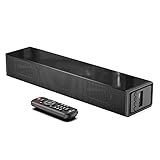
Our Top Picks
Top 3 picks at a glance
Quick comparison of the picks
| Pick | Best for | Key specs (per manufacturer) | Typical price |
|---|---|---|---|
| Yamaha SR-C20A | Best overall, small TV or console room | Compact 2.1-style bar with built-in subwoofer drivers, HDMI ARC, optical, 3.5mm, Bluetooth | Usually $150–$200 |
| Vizio V-Series 2.1 (V21d-J8 class) | Best bass for the money | Bar plus wireless subwoofer, HDMI ARC, Bluetooth, DTS and Dolby Digital decoding | Usually $100–$170 |
| Roku Streambar | Best budget and streaming combo | Small bar with a built-in 4K streamer, HDMI ARC, optical, Bluetooth | Usually $100–$150 |
| Sonos Ray | Best for small rooms and clean dialogue | Optical input only, Wi-Fi, AirPlay 2, no HDMI and no Bluetooth | Usually $150–$200 |
| Razer Leviathan V2 X | Best for PC desks | USB-C and Bluetooth, RGB, desktop-size bar, no separate subwoofer | Usually $80–$120 |
Street prices move with sales, so treat these as general market ranges.
Best overall: Yamaha SR-C20A
This is the pick for a console on a TV in a bedroom or apartment living room. It has the connections that matter at this price: HDMI ARC, optical, an analog input and Bluetooth. Yamaha’s tuning is known for clear voices, which helps in story games and shooters where footsteps and callouts matter. The trade-off is bass. The built-in subwoofer drivers add warmth but will not shake a room, and there is no external sub to upgrade later.
Best bass for the money: Vizio V-Series 2.1
If you want explosions to have weight, a bar with a separate wireless subwoofer is the easiest way to get it under $200. The Vizio V-Series 2.1 models pair a bar with a sub and HDMI ARC, and they usually cost less than the Yamaha. The trade-offs are a bulkier setup and a sub that can boom in small rooms or thin-walled apartments. Keep the sub level modest and put it near a wall rather than in a corner.
Best budget: Roku Streambar
The Streambar is small, inexpensive and doubles as a 4K streaming player. That suits a second-room TV or a dorm. It is also a decent Bluetooth speaker for a PC in a pinch. Its small size limits volume and bass, so it works best as a step up from TV speakers rather than a home theater.
Best for small rooms and dialogue: Sonos Ray
The Sonos Ray is a compact, tidy bar with a focus on speech and a balanced sound. The key limitation is its inputs. It has optical only, with no HDMI ARC and no Bluetooth. Your TV must have an optical output, and optical cannot carry formats like Dolby Atmos or lossless multichannel audio. Pick it if you want one clean cable and Wi-Fi music, not if you want full console features.
Best for PC desks: Razer Leviathan V2 X
A desk bar sits about 2 to 3 feet from your ears, so you do not need a large cabinet. The Leviathan V2 X connects by USB-C or Bluetooth 5.3, and the USB connection acts as its own sound card on a PC or laptop. It is a solid choice if you want more presence than monitor speakers and RGB lighting. The trade-off is that it has no real subwoofer, so deep bass is limited. Headphones are still better for competitive play because they give more precise directional cues.
How to choose: the numbers that matter
Distance matters more than watts
Sound level falls by about 6 dB each time your distance doubles. A desk setup at 0.7 m versus a couch at 3 m shows how much that changes:
- Level drop = 20 × log10(3 ÷ 0.7) ≈ 12.6 dB.
- Every +3 dB needs about double the amplifier power, so 12.6 dB means roughly 10^(12.6 ÷ 10) ≈ 18 times the power for the same loudness.
- So a bar that sounds loud on a desk may sound thin from a couch.
A bar rated at 100 W peak instead of 50 W is only 3 dB louder, which is a small change. Judge a bar by its driver size, whether it has a subwoofer, and your seating distance rather than by headline watts.
Match your ports to your device
| Your situation | Connection to use | Choose |
|---|---|---|
| PS5 or Xbox Series X into a TV | Console to TV by HDMI, TV to bar by HDMI ARC | Yamaha SR-C20A, Vizio 2.1, Roku Streambar |
| Older TV with only optical out | Optical | Sonos Ray, Yamaha SR-C20A |
| PC at a desk | USB-C, or 3.5mm if the bar has it | Razer Leviathan V2 X |
| PC plus console on one bar | HDMI ARC for the TV, Bluetooth or 3.5mm for the PC | Yamaha SR-C20A |
| Small room, no desire for a subwoofer | Optical or HDMI ARC | Sonos Ray, Roku Streambar |
| Apartment with thin walls | Any | A bar without a sub, or a sub with a level knob |
Check these before buying
- ARC vs eARC: bars under $200 mostly use standard ARC, which carries compressed Dolby Digital but not lossless formats. That is fine for games, since most console game audio is compressed anyway.
- Atmos claims: a “3D” or “virtual surround” label at this price is a processing mode, not true overhead speakers. Treat it as an optional effect.
- Latency: wired HDMI ARC and optical add little delay. Bluetooth can add noticeable lag, so avoid it for games unless the bar and your device support a low-latency mode.
- Size: measure the space under your TV or monitor. A bar that blocks the screen’s IR sensor or sits in front of the bottom edge is annoying.
Settings to set on day one
- TV audio out to Auto or PCM (or Dolby Digital if the bar supports it). Wrong digital formats are the most common cause of silence or crackling with optical connections.
- Turn on HDMI-CEC (called Anynet+, Simplink or Bravia Sync depending on the TV). This lets the TV remote control volume.
- Put the TV in Game Mode. This reduces video processing and keeps picture and sound closer in sync.
- Disable night mode and heavy sound effects while gaming. They compress dynamic range and make footsteps harder to pick out.
- Set the subwoofer level low first. Start near the middle and raise it only if dialogue stays clear. Boomy bass hides voices.
- Use the console’s audio settings. Set output to Stereo or Dolby Digital to match the bar rather than leaving it on a format it cannot decode.
Who should skip a soundbar
If most of your gaming is competitive and you sit close to the screen, a good headset still gives better positioning and does not disturb others. A soundbar makes more sense for single-player games, movies and shared rooms. If you want true surround effects, a 5.1 speaker set or a bar with rear speakers usually costs more than $200.
Frequently Asked Questions
Is a $200 soundbar good enough for gaming?
Yes, for single-player and casual multiplayer games it is a large step up from built-in TV speakers. You get clearer dialogue and fuller bass. It will not give the precise directional audio of a headset or the true surround of a multi-speaker system.
Do I need a subwoofer?
If you want strong low-frequency effects, a separate subwoofer helps most, especially in larger rooms. In small rooms or apartments, a bar with built-in bass drivers is often enough and less likely to annoy neighbors.
Does HDMI ARC add input lag?
Audio over HDMI ARC or optical normally adds very little delay. If you notice a lag between picture and sound, turn on the TV’s Game Mode and check for an audio delay or lip-sync setting on the TV or bar.
Can I use a soundbar with a gaming PC?
Yes. Use USB-C or 3.5mm if the bar has them, or HDMI to a TV or monitor that passes audio to the bar through ARC. Bluetooth works but may add latency, which is noticeable in fast games.
Is Dolby Atmos worth paying for under $200?
Usually not. Bars in this range rely on virtual processing rather than upward-firing speakers, so the effect is modest. Spend the money on better stereo performance, a subwoofer and the right ports.
Optical or HDMI ARC: which is better?
HDMI ARC is more convenient because it lets one remote control volume and carries a wider range of formats. Optical is fine for stereo and standard Dolby Digital, but it cannot carry lossless multichannel audio and does not pass remote commands as easily.
Related guides
More from Amazon
Programs that pair well with the guide above. Offers and eligibility are set by Amazon and may change.
A free business account with business pricing and bulk-buying tools for work, shop or home office.
Create a business accountFree shipping on eligible items, Prime Video and more. Eligible new members can start with a free trial.
Start a Prime free trialAudiobooks and podcasts to listen to on the go. Eligible new members can start with a free trial.
Try Audible freeAd-free music streaming. Eligible new subscribers can start with a free trial.
Try Music Unlimited freeAs an Amazon Associate we earn from qualifying purchases.


