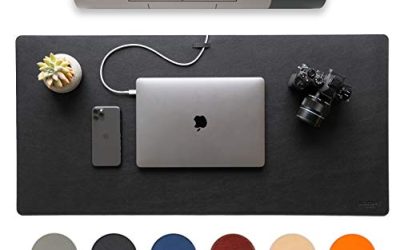
A glass desk looks clean, but it is one of the hardest surfaces to game on. Most optical and laser sensors cannot track reliably on clear glass, so the mouse needs a pad — yet glass creates a second problem: the smooth, hard surface gives a pad’s base little to hold onto, so lightweight pads creep, curl at the corners, and bunch up mid-flick. You want a pad whose base genuinely grips a slick surface and whose weight and thickness keep it planted.
The five pads below were chosen for exactly that job: a non-slip rubber or foam base, enough thickness to cushion the hard glass underneath, and a surface tuned for consistent gaming tracking. They range from a full-desk XXL mat to a compact spill-proof pad, across budget, mid-range, and premium tiers.
As an Amazon Associate, we earn from qualifying purchases.
Top 3 picks at a glance


Quick Answer
For most glass desks, start with the Logitech G640: its rubber base grips smooth surfaces and its control cloth keeps tracking consistent. If your pad still slides, step up to the heavier SteelSeries QcK Heavy XXL or the foam-based Artisan FX Zero. The Corsair MM300 PRO suits smaller glass tops; the HyperX Pulsefire Mat is the budget pick.
Table of Contents
- Quick Answer
- SteelSeries QcK Heavy XXL
- Artisan FX Zero Soft XL
- Logitech G640 Large Cloth Gaming Mouse Pad
- HyperX Pulsefire Mat Large
- Corsair MM300 PRO Medium
- How to Choose a Mouse Pad for a Glass Desk
- Who Should Skip These Pads
- FAQ
- Final Verdict
- Product and ASIN Reference
SteelSeries QcK Heavy XXL

If pad movement is your main frustration, the QcK Heavy XXL attacks it with sheer coverage and weight. At 900 by 400 mm it spans the full width of most glass desks, so the keyboard and mouse sit on the same mat. That matters on glass: the keyboard’s weight pins the mat in place, and your mouse never crosses an edge or seam mid-sweep.
The Heavy line’s 4 mm profile is the other half of the fix. The extra thickness cushions the unforgiving glass under your wrist and palm, and the non-slip silicone rubber base holds on smooth surfaces where thin pads drift. The micro-woven cloth gives a balanced control glide for mixed game libraries. Measure first: you need close to a full meter of clear width, and on a smaller glass top the overhang defeats the purpose. For a full-size glass desk, this is the set-and-forget anchor pick.
Specs
- Surface: Micro-woven cloth
- Dimensions: 900 x 400 x 4 mm
- Glide type: Balanced control
- Base: Non-slip silicone rubber
- Model: 67500
- Color: Black
Artisan FX Zero Soft XL
Artisan’s FX Zero is the premium pick, and its base is the reason it works so well on glass. Instead of a thin rubber sheet, the FX Soft base is a foam layer that conforms slightly to the surface under it. On smooth glass that conformity becomes grip across the whole footprint, resisting the slow creep that plagues lighter pads, while the softness lets the mouse settle under pressure during held angles and sprays.
The woven polyester surface is the control-focused member of the FX line: the glide starts with a deliberate push and brakes firmly, with a consistent feel across both axes. At 490 by 420 mm it is the largest single pad here, giving low-sensitivity players real sweep room without covering the whole desk. Artisan pads are made in Japan in several sizes and firmness grades, so confirm the XL size and Soft firmness in the listing title before ordering. Players who want maximum stopping power and a base that genuinely holds glass should start here.
Specs
- Size: 490 x 420 mm (XL)
- Surface: Woven polyester cloth
- Base: FX Soft foam
- Model number: FX-ZR-SF-XL
- Origin: Made in Japan
- Tier: Premium
Logitech G640 Large Cloth Gaming Mouse Pad
The G640 is the straightforward answer for a standard glass desk. Its 3 mm rubber base is non-slip and makes full contact with a flat glass top, exactly what a slick surface demands: full contact, no curled corners, no slow drift. Thin and flexible, it unrolls flat and stays flat — an underrated virtue on glass, where a lifting edge means a wandering pad.
Logitech tunes the cloth for moderate surface friction, giving mouse feet real resistance when starting and stopping, and the texture is consistent and matched to gaming sensors, so tracking stays even from edge to edge. At 460 by 400 mm it covers full arm aiming on most desks while leaving room for the keyboard beside it. The trade-off is the unstitched edge: the low profile is comfortable, but heavy use over years can fray the border sooner than stitched designs. It is the safest default pick in the budget tier.
Specs
- Surface: Cloth with moderate surface friction
- Glide type: Control
- Size: 460 x 400 mm
- Thickness: 3 mm
- Base: Rubber, non-slip
- Model: 943-000797
- Tier: Budget
HyperX Pulsefire Mat Large

The Pulsefire Mat Large is the value pick for glass-desk players who want a big surface without paying premium prices. Its non-slip rubber base holds a smooth desktop properly, and at 450 by 400 mm it covers the wide swipe range that low and medium sensitivities need while fitting desks that cannot take a full mat. The published weight is 340 g, light enough to roll up and carry, yet the base does the gripping work once it is laid flat on glass.
The densely woven cloth is tuned for precision, with a glide that starts smoothly but carries enough texture to stop cleanly at the end of a flick. HyperX uses anti-fray flush stitching, so the border sits level with the playing surface: your wrist and cable meet no raised lip, and the stitching slows the fraying that ends most cloth pads’ lives. On glass, where a lifting edge is where sliding starts, that flush border is a practical advantage, not just cosmetic.
Specs
- Size: 450 x 400 mm
- Thickness: 3 mm
- Surface: Densely woven cloth, tuned for precision
- Edges: Anti-fray flush stitching
- Base: Non-slip rubber
- Part number: 4Z7X4AA
- Weight: 340 g
- Tier: Budget
Corsair MM300 PRO Medium

The MM300 PRO Medium is the pick for smaller glass tops where the mouse area shares space with drinks and notebooks. Its micro-weave cloth carries a spill-proof, stain-resistant coating, so liquid beads on the surface and wipes off instead of soaking into the weave. On glass it does double duty, keeping the glide consistent and stopping spills from running off the pad edge onto the desk.
At 360 by 300 mm it is the most compact footprint here, deep enough for wrist and hybrid arm aiming without covering the whole top. The 3 mm profile sits on an anti-skid rubber base that grips smooth surfaces, and the edges are precision-stitched to guard against fraying and peeling, keeping the perimeter flat on the glass. The dense micro-weave gives a textured, controllable glide that rewards deliberate movement, and the surface wipes clean in seconds. It trades the largest footprints for the easiest upkeep on a desk material that shows every mark.
Specs
- Size: 360 x 300 mm
- Thickness: 3 mm
- Surface: Spill-proof, stain-resistant micro-weave cloth
- Edges: Anti-fray stitched
- Base: Anti-skid rubber
- Model: CH-9413631-WW
- Weight: Approx. 200 g
- Tier: Mid-range
How to Choose a Mouse Pad for a Glass Desk
Prioritize the base, not the surface. On wood or laminate, almost any rubber base holds. On glass, the base is the whole ballgame. Look for rubber, silicone, or foam bases with full-surface contact, and be wary of thin, featherweight pads: they have neither the grip nor the mass to stay put.
Use size and weight as anchors. A desk mat that also sits under your keyboard borrows the keyboard’s weight and effectively cannot slide. If a full mat does not fit, a 3 to 4 mm pad still resists movement better than a 2 mm pad, and cushions the hard glass under your wrist.
Check that it lies flat. Pads shipped rolled can hold a curl for days, and on glass a lifted corner is where sliding starts. Foam and thick rubber bases settle flat fastest; give a new pad a day under a book before judging its grip.
Match the surface to your aim style. Glass desks do not change which glide you should pick. Control cloth like the G640 and the Artisan Zero suits low-sensitivity and tactical play; balanced weaves like the QcK suit mixed libraries. What glass changes is only the delivery: the glide has to arrive on a base that stays put.
Protect the glass itself. A pad also shields the desktop from grit, keyboard edges, and drink rings, all of which show on glass. A spill-resistant surface like the MM300 PRO’s is worth it if the desk doubles as a dining surface.
Who Should Skip These Pads
Skip cloth pads entirely if you specifically want a hard or glass playing surface; those pads are a separate category, and none of the five here reproduces that near-frictionless glide. Skip the QcK Heavy XXL if your glass top is under about a meter wide, since an overhanging mat grips worse than a smaller pad that sits fully on the surface. Skip the Artisan FX Zero if you cannot confirm the size and firmness in the listing, because the FX line’s grades feel noticeably different from one another. And if your glass desk has a frosted or textured finish, test your current pad first: textured glass grips bases far better, and you may not need a new pad at all.
FAQ
Why does my mouse not work directly on a glass desk?
Most gaming sensors read surface texture to measure movement, and clear polished glass offers almost none, so the cursor skips, stalls, or drifts. A pad gives the sensor a consistent, readable surface. Some mice have specialized glass-tracking sensors, but a pad is the reliable fix for the mice most players already own.
Why does my mouse pad keep sliding on glass?
Glass is smooth and non-porous, so a pad base gets little friction to work with, especially on thin, light pads. The fixes are a rubber, silicone, or foam base with full contact, more pad weight and thickness, or a desk mat large enough to sit under the keyboard too.
Will a mouse pad damage or scratch a glass desk?
A clean pad protects the glass more than it risks it. The scratch risk comes from grit trapped under the pad, which can grind against the surface as the pad shifts. Shake the pad out and wipe the glass before laying it down; a pad that does not slide cannot drag trapped grit across the top.
Are thicker mouse pads better for glass desks?
Usually, yes. A 3 to 4 mm pad adds weight, lies flatter, and cushions the hard surface under your wrist, all of which help on glass. Very thick pads can feel spongy under the mouse, so treat 4 mm as a practical ceiling unless you specifically want a soft feel.
Final Verdict
On a glass desk, the best pad is the one that stays where you put it. The Logitech G640 is the default pick for most setups, with a gripping rubber base and proven control cloth. The QcK Heavy XXL ends sliding on full-size glass tops by anchoring the whole desk, and the Artisan FX Zero Soft XL is the premium route, on a foam base that holds smooth surfaces. The HyperX Pulsefire Mat covers the budget end, and the Corsair MM300 PRO is the compact, spill-proof choice for smaller glass desks.
Product and ASIN Reference
| Product | ASIN |
|---|---|
| SteelSeries QcK Heavy XXL | B00WAA2704 |
| Artisan FX Zero Soft XL | B07FBRRP8G |
| Logitech G640 Large Cloth Gaming Mouse Pad | B0BHMKVF1P |
| HyperX Pulsefire Mat Large | B09TZVPXFC |
| Corsair MM300 PRO Medium | B08JH89SVJ |
Related guides
More from Amazon
Programs that pair well with the guide above. Offers and eligibility are set by Amazon and may change.
A free business account with business pricing and bulk-buying tools for work, shop or home office.
Create a business accountFree shipping on eligible items, Prime Video and more. Eligible new members can start with a free trial.
Start a Prime free trialAudiobooks and podcasts to listen to on the go. Eligible new members can start with a free trial.
Try Audible freeAd-free music streaming. Eligible new subscribers can start with a free trial.
Try Music Unlimited freeAs an Amazon Associate we earn from qualifying purchases.