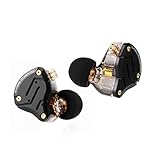
The best KZ IEM for gaming depends less on the model number and more on how you connect it: the KZ Axas is the pick for players who want a USB-C plug with a built-in microphone and DSP modes, while the KZ ZS10 Pro is the pick for players who already have a clean 3.5 mm source and want a detailed multi-driver hybrid. The KZ Starbit sits between them for anyone who wants a simple two-driver FPS-oriented set with a mic in the listing.
KZ sells dozens of models, and the names are easy to confuse. This guide narrows the catalog to eight models that are actually listed in our store, explains what each driver layout means for footsteps and callouts, and shows you which cable, tips and source to pair with them. Where a listing does not state a spec, we say “not listed” instead of guessing.
As an Amazon Associate we earn from qualifying purchases at no extra cost to you.



Top 3 picks at a glance
Top Picks at a Glance
| Product | Best for | Key specs from the listing | Watch for | Price tier |
|---|---|---|---|---|
| KZ Axas (USB-C) | Plug-and-play voice chat on PC or phone | USB-C, 4 DSP modes, HD mic with AI noise cancellation | Needs a USB-C port; no 3.5 mm console jack on this version | Mid-range |
| KZ Starbit | FPS-focused set with a mic | 1DD+1BA, mic, 360 spatial sound, USB-C to 3.5 gaming DAC mentioned | Check exactly what ships in the box | Mid-range |
| KZ Phantom | Tunable sound for different game types | 4 tuning options, mic, USB Type-C | Tuning details are not listed | Mid-range |
| KZ ZS10 Pro | Detailed hybrid for 3.5 mm sources | 4BA+1DD (5 drivers), stainless steel faceplate, detachable cable, version listed without mic | Needs a mic cable for chat | Mid-range |
| KZ ZSN Pro X | Entry-level hybrid | 1BA+1DD dual driver, wired | Mic status varies by variant | Budget |
| KZ EDX Pro | Cheapest way into KZ | Dual-magnet dynamic driver, noise isolating | Single dynamic driver, no mic listed | Budget |
| KZ ZEX | Something different: electrostatic plus dynamic | 1 electrostatic + 1 dynamic, detachable cables, version listed without mic | Needs a mic cable | Budget to mid-range |
| KZ ZS12 Pro 2 | Maximum driver count in the lineup | 5BA+1DD, 6 drivers, version listed without mic | Large driver count does not mean better positioning | Mid-range |
What KZ IEMs Actually Do for Gaming
An in-ear monitor sits inside the ear canal and seals it with a silicone or foam tip. That seal does two jobs for gaming. It blocks room noise, so quiet cues such as a reload or a distant step stay audible at a lower volume. It also keeps the stereo image tight, because the drivers are only a few millimetres from your eardrum and the left and right channels do not bleed into each other the way they can with open-back headphones.
KZ builds almost everything around two driver types. A dynamic driver (DD) is a small speaker cone and tends to handle bass and body. A balanced armature (BA) is a tiny reed-style driver that usually handles detail in the mids and highs. Hybrids combine both, which is why you see labels such as 1DD+1BA or 4BA+1DD. In gaming terms, extra BA drivers are usually used to bring out treble detail and separation, which can help with sounds like footsteps, but the quality of the tuning matters more than the number on the box.
The catch is the microphone. Most KZ IEMs in the catalog are sold in a “without mic” version, and detachable-cable models use a 2-pin connector. For voice chat you either buy a model with a mic built in, such as the Axas, Starbit or Phantom, or you add a mic cable to a model you like. We cover that option in the buying guide below.
1. KZ Axas: Best for Plug-and-Play Voice Chat
- Connector: USB-C (a separate 3.5 mm with-mic version is also listed)
- Audio processing: 4 DSP modes
- Microphone: HD mic with AI noise cancellation, per the listing
- Positioning: described as tuned for accurate directional audio in FPS games
- Cable: detachable on the 3.5 mm version; the USB-C version is described as plug-and-play
Best for: players who want one product that handles sound and chat from a laptop, a handheld PC or a phone. Skip if: your main device only has a 3.5 mm controller jack, in which case the 3.5 mm Axas variant is the one to look at.
The reason to start with the Axas is the USB-C plug. A USB-C IEM carries its own digital-to-analog converter, so you are not relying on the quality of your motherboard’s headphone output. That matters because front-panel audio on many desktop cases picks up electrical noise from the graphics card, and a buzz that rises with frame rate is a common complaint. A USB-C connection sidesteps that completely.
The DSP modes are the other draw. The listing mentions four, and the practical use is switching between a more neutral profile for general play and a profile aimed at competitive shooters. We cannot describe what each mode does because the listing does not say, so treat the modes as something to try in a quiet match before a ranked session. Mic noise cancellation is helpful in a shared room, but you should still keep the mic away from your keyboard.
Pros:
- Sound card and mic in one plug
- Skips noisy onboard audio
- DSP modes to match game type
Cons:
- USB-C version will not work on a standard 3.5 mm jack
- Mode behavior is not described in the listing
2. KZ Starbit: Best for a Straightforward FPS Set
- Drivers: 1DD+1BA
- Microphone: included, per the title
- Marketing focus: FPS gaming, “360 spatial sound”
- Fit: low-profile design with sound isolation
- Source: the title mentions a portable USB-C to 3.5 gaming DAC; confirm what is in the box
Best for: players who want an inexpensive two-driver IEM with a mic and do not want to build a cable setup. Skip if: you want swappable cables and are unsure whether this model has a detachable one, because the listing does not say.
The Starbit is the closest KZ gets to a “gaming headset in IEM form.” The 1DD+1BA layout is the simplest hybrid: the dynamic driver covers low end and the BA covers the upper range. That is a sensible layout for games because explosions and engine rumble stay in the dynamic driver, while the BA keeps high-frequency cues such as reloads from getting buried.
The low-profile shell is useful if you lie back or wear a hoodie, since a flat shell does not press against the ear. Because the product title lists a USB-C to 3.5 gaming DAC, treat the USB-C side as the likely connection for PC and phone, and check the product page before assuming it works on a console controller.
Pros:
- Simple two-driver design
- Mic and DAC mentioned in the listing
- Low-profile shell for long sessions
Cons:
- Detachable cable status not stated
- Spatial sound claim comes from marketing, not a published measurement
3. KZ Phantom: Best for Switching Tuning by Game
- Connector: USB Type-C
- Microphone: included
- Tuning: 4 tuning options listed
- Isolation: noise isolating design
- Target use: FPS gaming, also pitched at musicians
Best for: players who switch between shooters, racing and story games and want one set that can shift balance. Skip if: you prefer a fixed sound you can learn and rely on.
A tunable IEM is useful when different games mix audio differently. A tactical shooter often benefits from a flatter, more analytical profile so footsteps stand out, while a cinematic single-player game is often more enjoyable with extra low-end weight. The Phantom’s four tuning options give you that without changing hardware. The listing does not say how the tuning is applied (switches, software or a cable), so check the product page before you buy if you plan to use it on a console.
One practical suggestion: pick one tuning for competitive play and stick with it for a couple of weeks. Your brain learns the distance and direction cues for a given sound signature, and switching constantly makes it harder to build that memory.
Pros:
- Four tuning options
- USB-C with mic
- Works for both games and music
Cons:
- Tuning mechanism and tuning differences not described
- Premium pricing for a KZ
4. KZ ZS10 Pro: Best for Detail from a 3.5 mm Source
- Drivers: 4BA+1DD (five drivers)
- Faceplate: stainless steel
- Cable: detachable; the listed version is without mic
- Style: hybrid, marketed for gaming and musicians
- Impedance and sensitivity: not listed in the title
Best for: players with a decent DAC or a PC with good analog output who want a detailed set. Skip if: you need a built-in mic and do not want to buy a second cable.
The ZS10 Pro is probably the KZ most people have heard of, and it remains in the lineup because the five-driver hybrid layout gives plenty of upper-range detail for the price tier. For gaming that detail is what helps separate footsteps from ambient noise. It is not magic, though. Hybrids with many balanced armatures can sound thin or sharp if you push the volume, so the right approach is to pick a comfortable level and leave it.
Because the listed version has no mic, plan on a mic cable. KZ-compatible 2-pin cables with a mic are widely sold, including a QDC-style cable with mic that appears in our catalog; see the cable notes in the buying guide for how to check connector compatibility.
Pros:
- Five-driver hybrid
- Detachable cable allows upgrades
- Strong name recognition and a large aftermarket of tips and cables
Cons:
- No mic on the listed version
- Can sound sharp at high volume
- Seller listings vary, so check the exact variant
5. KZ ZSN Pro X: Best Entry-Level Hybrid
- Drivers: 1BA+1DD
- Connection: wired earphones for phone, computer and tablet
- Design: dual-driver hybrid
- Cable: not specified in the title
- Impedance and sensitivity: not listed
Best for: first-time IEM buyers and anyone who wants to try the format before spending more. Skip if: you need a mic built in and can’t verify the variant.
The ZSN Pro X is the budget way to find out whether you like in-ear monitors for gaming. A two-driver hybrid at the entry level gives you the isolation and positional benefits of IEMs without a big commitment. The main thing you are checking is not the sound but the fit: if you cannot get a comfortable seal with the supplied tips, the best driver layout in the world will not help.
A sensible approach is to buy the model, try all supplied tip sizes, and add a mic cable only if you decide to keep using it for chat. If you find the fit uncomfortable after a long session, foam tips are the easiest fix.
Pros:
- Low cost of entry
- Hybrid layout
- Works with common aftermarket tips and cables
Cons:
- Less detail than higher driver counts
- Variants differ, so check the mic status
6. KZ EDX Pro: Best Cheap Dynamic-Driver Option
- Driver: dual-magnet dynamic driver
- Design: noise-isolating, wired
- Marketing: stereo sound stage
- Mic: none listed
- Cable: detachable status not stated
Best for: casual players who want a simple set that is easy to drive from any source. Skip if: you play competitive shooters and want a tuned detail boost.
Single dynamic-driver IEMs are the easiest to live with because they sound natural at a wide range of volumes and don’t depend on the crossover tuning of multi-driver hybrids. The EDX Pro is built that way: one dual-magnet dynamic driver doing the full range. For story games, racing and open-world titles, that simplicity can be a plus.
It is less ideal for competitive play where extra treble separation helps, but the listing’s sound-stage claim is worth a try for general use. As with other no-mic models, add a mic cable for chat.
Pros:
- Simple single-driver design
- Easy to power
- Budget tier
Cons:
- No mic
- Less treble separation than hybrids
7. KZ ZEX: Best for an Electrostatic Twist
- Drivers: 1 electrostatic + 1 dynamic
- Cable: detachable cables
- Version listed: without mic
- Colour listed: rose gold
- Impedance and sensitivity: not listed
Best for: listeners who want a different treble character from a purely balanced-armature hybrid. Skip if: you want a built-in mic or a plug-and-play USB-C option.
The ZEX pairs a dynamic driver with an electrostatic tweeter. Electrostatic drivers are known for a particular airy treble; whether that helps gaming is a matter of taste. Some players like the extra air because it makes small high-frequency details like glass or metal cues easier to notice. Others find it fatiguing in long sessions.
The detachable cables make this an easy model to adapt: add a mic cable, and you have a chat-capable setup. Keep the volume modest, because extra treble energy is one of the quickest ways to cause listening fatigue.
Pros:
- Distinct driver layout
- Detachable cables
- Moderate cost
Cons:
- No mic on the listed version
- Treble character may not suit everyone
8. KZ ZS12 Pro 2: Best for the Highest Driver Count
- Drivers: 5BA+1DD (six drivers)
- Marketing: hybrid, “immersive bass”, clarity
- Version listed: black, without microphone
- Targets: gaming, musicians, audiophiles
- Cable: not specified in the title
Best for: players who want the most detailed KZ hybrid in this set and have a mic plan. Skip if: you are shopping on a tight budget; the ZSN Pro X and EDX Pro cover that need.
Six drivers in a small shell means a crossover has to split the sound between them, and the quality of that split matters more than the count. In practice, the ZS12 Pro 2 is for players who like analytical sound and want extra layers of detail, for example in games with dense audio such as battle royale. The bass from the dynamic driver provides a counterweight.
If you are tempted by the highest driver count, remember that a well-tuned two-driver set can beat a poorly tuned six-driver one. Compare descriptions of the sound signature before you pick, and use a mic cable for chat.
Pros:
- Highest driver count in this list
- Hybrid with dynamic bass driver
Cons:
- No mic on the listed version
- More expensive than the entry-level models
Also Consider
KZ ZSX
The Linsoul KZ ZSX lists 5BA+1DD with a zinc alloy faceplate and a recessed 2-pin detachable cable, sold without a mic. It overlaps with the ZS12 Pro 2 in driver count, so choose it if you prefer the alloy faceplate style.
KZ Duet
The KZ Duet is a dual-driver wired earbud with a mic, a 3.5 mm jack and call and track control according to the listing. It is more of a daily-use set than a gaming-first model, but the mic and plug make it a flexible phone and controller companion.
KZ Axas 3.5 mm with mic
The Axas also appears as a 3.5 mm version with mic and a detachable cable, aimed at FPS use. If you want the Axas tuning but need a console-friendly plug, this is the version to check.
FiiO KA11 USB-C DAC adapter
The FiiO KA11 is a USB-C to 3.5 mm adapter that lists 32-bit/384 kHz support and works with Android, iOS, Windows and Mac. It is a solid way to give a 3.5 mm KZ such as the ZS10 Pro a cleaner source on a laptop or phone.
How We Chose
We did not personally use these products. This guide is based on research: we read the manufacturer and seller listings in our store, compared driver layouts, connectors and included features, and cross-checked general knowledge of how IEM driver types behave for gaming. Where the listing did not state a specification, such as impedance, sensitivity or the exact tuning, we marked it “not listed” rather than estimating. We limited the list to models that are currently available in our store, and we avoided including two nearly identical variants of the same model.
Our ranking weights four things: connection type (USB-C or 3.5 mm), whether a microphone is included, the likely comfort for a long session, and how well the model fits a specific player profile. We did not rank by driver count alone.
Buying Guide
Choose the connection first
If you play mostly on a laptop, handheld PC or phone, a USB-C model such as the Axas or Phantom is the least hassle because the DAC and mic are built in. If you play on a desktop with good rear-panel audio, or you use an external DAC, a 3.5 mm model such as the ZS10 Pro gives you the widest set of cable and tip upgrades. For console controllers with a 3.5 mm jack, use a 3.5 mm model and plan on a mic cable.
Plan the microphone
Most KZ listings in our store are “without mic.” A mic cable with a 2-pin connector is the simplest solution. Before you buy, check three things: the connector type (the catalog lists a QDC-style KZ cable with mic, and QDC is not the same as the common 0.78 mm 2-pin), the plug (3.5 mm or USB-C), and the cable length. A 2 m cable is useful at a desk; a shorter cable is better for handhelds.
Tips and fit
The eartip decides isolation and comfort. Try the supplied sizes first. If the seal feels loose or footsteps sound thin, move up one size. If your ears get sore after an hour, try foam tips, which compress and spread pressure. Silicone with a narrower bore usually gives a more forward upper range, while foam softens the highs a little.
Impedance and sensitivity
KZ listings in the catalog rarely state impedance and sensitivity. As a rule of thumb, most hybrids in this class are easy to drive from a phone, a USB-C dongle or a laptop. If the volume knob on your PC has to sit near the top for normal listening, a dongle DAC such as the FiiO KA11 gives you more headroom.
Volume safety
IEMs sit close to the eardrum, and isolation tempts people to turn them up. As a general habit, set the volume at a level where you can still hold a conversation at normal speed, take breaks during long sessions, and avoid pushing the volume to cover background noise. If you notice ringing or discomfort, stop and give your ears a rest.
Quick decision matrix
| Your situation | Best match | Why |
|---|---|---|
| Gaming laptop or handheld PC, voice chat daily | KZ Axas (USB-C) | Mic and DAC in one plug |
| Desktop with decent audio, want detail | KZ ZS10 Pro plus a mic cable | Hybrid detail, upgradeable cable |
| Tight budget, first IEM | KZ ZSN Pro X or EDX Pro | Low cost to try the format |
| Play many genres | KZ Phantom | Four tuning options |
| Treble-sensitive | KZ EDX Pro | Single dynamic driver, softer treble |
Frequently Asked Questions
Are KZ IEMs good for gaming?
Yes, KZ IEMs can work well for gaming because the sealed fit improves isolation and the hybrid driver layouts bring out upper-range detail. The main limit is the microphone, which many models do not include.
Do KZ IEMs have a microphone?
Some do and some do not. The Axas, Starbit, Phantom and Duet list a mic, while the ZS10 Pro, ZEX and ZS12 Pro 2 in our catalog are listed without one. A 2-pin mic cable can add a mic to detachable-cable models.
Which KZ is best for FPS games?
The Axas, Starbit and Phantom are the models the listings position for FPS, and the ZS10 Pro is a popular detail-focused option. Choose based on whether you need USB-C or 3.5 mm.
Can I use KZ IEMs on a console?
Yes, on controllers with a 3.5 mm jack. Use a 3.5 mm model and a cable with an inline mic. USB-C versions need a console and controller combination that supports them, so check the product page.
Do I need a DAC for KZ IEMs?
Not always. Most are easy to drive, but a USB-C DAC dongle can reduce noise from front-panel audio and give more volume headroom. It is optional, not required.
How many drivers do I need for gaming?
You don’t need many. A well-tuned 1DD+1BA set can be enough, and more drivers do not automatically mean better positional audio.
Are IEMs comfortable for long gaming sessions?
They can be if the tips fit properly. A low-profile shell and the right tip size matter more than the brand. Take breaks every hour or two.
Which One Should You Buy?
If you want the simplest setup with a mic, start with the KZ Axas or the KZ Starbit. If you want a tunable set for different genres, the KZ Phantom is the better fit. If you already have a 3.5 mm source and want detail, the KZ ZS10 Pro with a mic cable is the classic route. If you are just trying the IEM format, the ZSN Pro X or EDX Pro keeps the cost of trying low. Whatever you pick, spend a little on tips and, if needed, a mic cable.
Sources
- KZ product listings in our store
- Linsoul product listings for KZ models
- FiiO KA11 product listing
- General IEM driver-type references (dynamic, balanced armature, electrostatic)
Last updated: October 2026