The best replacement cables for gaming mice and headsets are the ones that match your device’s exact connector and model, because a cable that looks right but fits wrong is wasted money. This is a short accessory roundup of ten listings: two generic cables (a wired-mouse USB cable and a 3.5mm headset cord), five charging cables aimed at Logitech wireless gear, two Naga-style mouse cables and one USB-C cable meant for keyboards that also suits mice with a detachable USB-C port. Treat each pick as a replacement part, not an upgrade. Before you click anything, check the connector type and your device model against the listing text. Price tiers below are relative within this set only.
Our Top Picks
Top 3 picks at a glance
Ten cables at a glance
As an Amazon Associate we earn from qualifying purchases at no extra cost to you.




| Model | Key point from the title | Price tier | Best for |
|---|---|---|---|
| Generic 2.2 m gaming mouse cable | 2.2 meters, pure copper core claim, USB; title text is garbled | Budget (price not captured) | Detachable-cable wired mice, after a fit check |
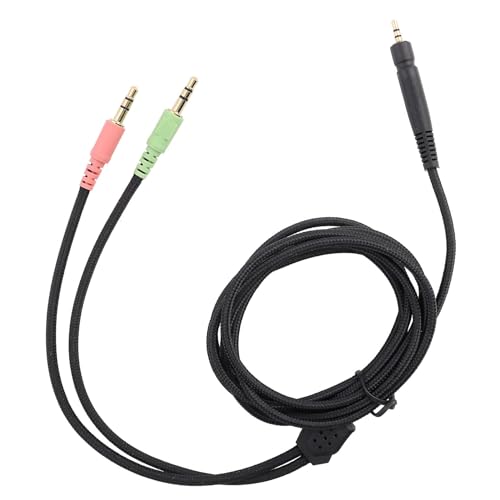
| Gaming headphone cable, 3.5 mm | 3.5 mm jack, braided, mentions Xbox and PlayStation | Budget (price not captured) | Headsets with a 3.5 mm cord |
| Qnanw charging cable (6 ft) | Lists Logitech G403, G703, G900, G903, G Pro, G560 speaker | Budget | Logitech owners matching the listed models |
| NoirVogel braided cable (6 ft) | Braided nylon, G502 Lightspeed and G915 TKL, USB to Micro | Mid-range | G502 or G915 TKL owners |
| Serounder 2.2 m Naga cable | 7.22 ft USB cable for Naga 2014 Line 14 | Premium (within this set) | Naga 2014 owners |
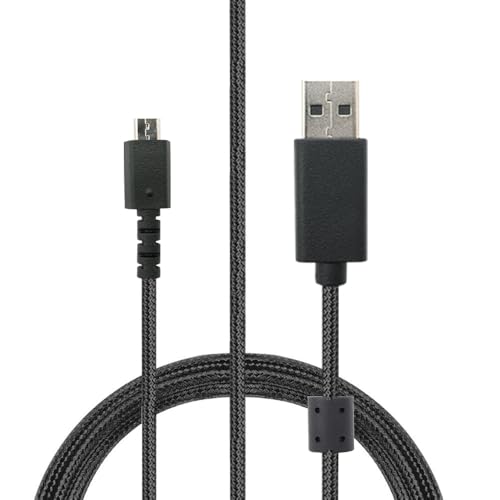
| NoirVogel data line (6 ft) | USB-A to Micro USB, G502 Lightspeed, G915, G915 TKL | Mid-range | G502 or G915 owners wanting a data line |
| HUYUN charging cable | Logitech G403, G900, G903, G703, G Pro, Superlight | Budget | Budget Logitech wireless mouse spare |
| Mugast 2.2 m Naga cable | 7.22 ft USB cable for Naga 2014, black | Mid-range | Naga 2014 owners |
| NoirVogel charging cable (6 ft) | G703, G900, G903, G Pro Wireless, Superlight, G560 speaker | Budget | Logitech wireless mouse or speaker spare |
| KKPOERT USB-C cable (1.8 m) | Ultra-flexible USB-A to USB-C, dual casing, for keyboards and mice | Budget | Devices with a detachable USB-C port |
The ten cables, one by one
Generic 2.2 m gaming mouse USB cable (copper core)
The first campaign listing is a 2.2 meter USB cable for a gaming mouse, with a pure copper core claim. The title is partly garbled, with “for/Line” fragments, so the exact device it suits is unclear. Check the listing and your mouse model before ordering.
- Pros: Long run suits a floor-standing tower; copper core is a seller claim worth reading about in the listing.
- Cons: No device compatibility in the title; connector type is not stated.
Who it’s for: Players whose mouse has a detachable cable and who have confirmed the plug shape.
Gaming headphone cable, 3.5 mm, braided
The second campaign listing is the only headset cord here. The title describes a 3.5 mm jack, a braided jacket and compatibility with Xbox and PlayStation. It is a generic part, so it only helps if your headset has a detachable cord with a matching socket and plug arrangement.
- Pros: Braided jacket; 3.5 mm is the common headset plug size.
- Cons: No headset model is named; “high fidelity” is marketing wording, not a measured result.
Who it’s for: Owners of a headset with a detachable 3.5 mm cord who need a spare.
Qnanw USB charging cable (6 ft)
This six-foot cable names a long list of Logitech devices, including G403, G703, G900, G903, G Pro Wireless, G Pro X Superlight, G560 speaker and a G Pro mechanical keyboard. A list that broad means the cable is described by plug type, not by one device, so confirm the connector on your own unit.
- Pros: Six-foot length; wide stated model coverage.
- Cons: Connector type is not spelled out in the title; near-duplicate of other listings here.
Who it’s for: Logitech owners whose model appears in the title.
NoirVogel braided nylon cable (6 ft, G502 and G915 TKL)
This one is aimed at the G502 Lightspeed wireless mouse and the G915 RGB TKL wireless keyboard, with a braided nylon jacket and a USB to Micro USB description. It is the braided choice of the three NoirVogel listings, which otherwise overlap heavily.
- Pros: Braided nylon; connector stated as USB to Micro.
- Cons: Narrower model list than some rivals; braiding can feel stiffer.
Who it’s for: G502 Lightspeed or G915 TKL owners who prefer a braided jacket.
Serounder 2.2 m / 7.22 ft Naga 2014 cable
Serounder sells a 2.2 meter USB mouse cable for the Naga 2014 and Line 14. The Naga listing is a different design from the Logitech charging cables above, so do not mix them up. It is also the most expensive cable in the set, so in this roundup it sits in the premium tier.
- Pros: Long 2.2 m run; named model support.
- Cons: Highest price tier here; near-identical to the Mugast Naga listing.
Who it’s for: Naga 2014 owners who want a named-model replacement.
NoirVogel data line (6 ft, G502, G915 and G915 TKL)
The wording “data line” and “USB-A to Micro USB” makes this the clearest connector description among the Logitech charging cables. It lists G502 Lightspeed, G915 and G915 TKL. It overlaps with the braided NoirVogel listing, so choose based on jacket preference.
- Pros: Plug types stated in the title; covers full-size G915 as well as TKL.
- Cons: Near-duplicate of the other G502 and G915 listing; jacket material not stated.
Who it’s for: Owners of G502 Lightspeed or any G915 who want a clearly labelled connector.
HUYUN USB charging cable for Logitech wireless mice
HUYUN lists G403, G900, G903, G703, G Pro and G Pro X Superlight wireless mice. The title does not state the plug type or length, so those details come from the listing page. It is the plainest listing in the set, with no sleeve or length claims.
- Pros: Low price tier; clear Logitech model list.
- Cons: No length or connector in the title; overlaps with Qnanw and NoirVogel.
Who it’s for: Buyers who want the cheapest spare for a listed Logitech mouse.
Mugast 2.2 m / 7.22 ft Naga 2014 cable (black)
Mugast offers the same 2.2 meter Naga 2014 replacement idea as Serounder, in black. The two are close to interchangeable on paper, so the decision comes down to price tier and what each listing says about the jacket and plug.
- Pros: Named Naga 2014 support; sits below Serounder on price tier.
- Cons: Near-duplicate of Serounder; no mention of sleeve or strain relief.
Who it’s for: Naga 2014 owners who want to pay less than the Serounder tier.
NoirVogel charging cable (6 ft, G703, G900, G903, Superlight)
The third NoirVogel listing targets G703, G900, G903, G Pro Wireless, G Pro X Superlight and the G560 speaker, and mentions G Pro keyboards. It is a USB to Micro USB cable according to the title. It is nearly identical to the Qnanw and HUYUN listings in model coverage.
- Pros: Broad Logitech coverage including the G560 speaker; plug type stated.
- Cons: Title contains a typo (“Kayboards”); similar to two cheaper-looking rivals.
Who it’s for: Logitech owners who also need a spare for a G560 speaker.
KKPOERT ultra-flexible USB-A to USB-C cable (1.8 m)
KKPOERT is the odd one out: a 1.8 m USB-A to USB-C cable described as ultra-flexible with a dual casing, positioned for mechanical keyboards, gaming keyboards and mice. It only helps if your device has a USB-C port.
- Pros: Flexible jacket claim; lowest price tier; USB-C is a common modern port.
- Cons: Wrong connector for any Micro USB device; “ultra-flexible” is a seller description.
Who it’s for: Keyboard or mouse owners with a detachable USB-C port.
How we picked these
We built this list from the titles of ten listings plus published specifications, manufacturer documentation and buyer reviews. Nobody on the team used or measured these units. The two generic listings came first, followed by Logitech charging cables, Naga cables and the USB-C cable, grouped by device family. Where several listings looked near-identical, we said so rather than inventing differences. Treat every claim about copper, braiding or fidelity as the seller’s wording.
Choosing a replacement cable without guesswork
Match the connector before anything else
The first check is the plug on the device end. Micro USB, USB-C and proprietary or locking connectors are not interchangeable, and shapes can look alike. Read the port on your mouse or headset, then confirm the same wording appears in the listing and your model number.
Length: a worked example
These figures are estimates with stated assumptions. Tower on the desk, 0.5 m from port to mouse, plus 0.3 m slack: about 0.8 to 0.9 m. Tower on the floor with the port 0.8 m below the desk top, plus 0.6 m across and 0.3 m slack: roughly 1.7 m. A six-foot cable (1.8 m) just covers the second case, while 2.2 m leaves about half a metre of margin for rerouting.
Braided or rubber
Braided sleeves resist scuffing and look tidy, but they can drag on a mouse pad and feel stiffer. Soft rubber is usually more flexible. Pick based on how the cable lies behind your mouse, and be sceptical of any claim that one jacket carries signal better.
Strain relief and plug ends
Most cable failures occur within a few centimetres of the plug, where the cord is bent repeatedly. A reinforced collar at each end spreads that stress. The titles here rarely mention strain relief, so check the listing photos for a molded or reinforced collar.
Charge-only or data
Some cables carry only power, which is fine for topping up a wireless mouse but useless if you need the mouse to communicate over the wire. A listing that says data line is a better sign; if the wording is vague, ask before buying.
Headset cords
Headsets differ: some use one combined plug for audio and microphone, others separate plugs, and some use a proprietary socket on the earcup. A 3.5 mm plug on the PC end does not guarantee the earcup end fits. Check the listing and your model.
Mistakes buyers make
- Ordering on connector looks. Micro USB and USB-C are easily confused at a glance.
- Assuming a charging cable carries data. Read the wording on the listing.
- Buying for the wrong model in the same family. A cable listed for the Naga 2014 should not be assumed to suit other Naga mice, since the title names only that model.
- Choosing the longest option. Excess length adds clutter and drag; 1.8 m is usually enough.
- Replacing a cable when the fault is elsewhere. Try the existing cable in a different USB port first, because a faulty port looks just like a bad cable, and a swap will not fix it. Keep the old cable until the new one has worked for a few days.
Verdict
For a Logitech wireless mouse, pick the listing that names your exact model and states the plug type. The NoirVogel data line is the clearest on connectors. For a Naga 2014, Mugast and Serounder are near-identical, so go with the lower tier. For headsets or a wired mouse, the two generic cables only work after a fit check. For USB-C devices, KKPOERT is the one to look at.
Related guides
- Nvidia Control Panel Best Settings For Gaming
- How To Test Gpu Stability After Overclocking
- Cpu Cores And Threads For Gaming Explained
Frequently asked questions
Can I use any USB cable to replace a gaming mouse cable?
Only if the plug on the mouse end matches. Wired mice with a fixed cable usually cannot take a swap at all, while mice with a detachable port need the exact connector shape, such as Micro USB or USB-C. A cable that physically fits but lacks data wires will charge a device without letting it communicate. Check the listing and your mouse model, and read whether the cable is described as charge-only or as a data line.
How long should a replacement mouse cable be?
Measure the path from the PC port to where the mouse sits, then add slack for movement. As a rough estimate with stated assumptions, a tower on the desk needs about 0.9 m, while a tower on the floor beside the desk needs about 1.7 m. A 1.8 m (6 ft) cable covers the second case with little to spare, and a 2.2 m cable leaves roughly half a metre of margin.
Is a braided cable better than a rubber one?
Braiding mainly changes feel and abrasion resistance. A braided sleeve can resist scuffing against a desk edge, but it can also be stiffer and drag on a mouse pad, which some players dislike. Rubber or soft PVC jackets are usually more flexible. Neither style guarantees better electrical performance, so judge the jacket by how it behaves in your setup and check the strain relief at both ends.
Will a replacement headset cable improve sound quality?
Do not expect a change you can hear. A replacement cord restores a broken connection, and any improvement over a worn original is simply the fault being fixed. Listings that mention high fidelity are seller wording rather than a measured result. What matters more is the plug configuration matching your headset, so check whether your model uses one combined plug or separate audio and microphone plugs.
When should I replace the whole mouse or headset instead of the cable?
Consider replacing the device when the cable is permanently attached, when the fault is a worn switch or earcup rather than the cord, or when the replacement costs close to a new budget model. A detachable cable that costs a few dollars is almost always worth trying first. If a new cable does not fix the symptom, the fault likely sits inside the device.