
The Ryzen 5 9600X is a very good processor that arrived into a market with no appetite for it, and the direct answer most people want is this: it is about 5 to 8 percent faster in games than the 7600X it replaces, draws roughly 40W less doing it, and costs around eleven dollars more at $173. That is a modest generational step on performance and a substantial one on efficiency. Whether that adds up to a recommendation depends entirely on what you already own, and this review is structured around that question rather than around a leaderboard.
Software telemetry reports what a chip thinks it is drawing.
As an Amazon Associate we earn from qualifying purchases at no extra cost to you.





Our Top Picks


Top 3 picks at a glance
Where this chip sits in AMD’s own stack
The 9600X is the entry point to Zen 5 on desktop: six cores, twelve threads, 32MB of L3 cache, a 3.9GHz base clock and a 5.4GHz boost ceiling, rated at 65W nominal with an 88W package power tracking figure out of the box. Above it sit the 9700X at eight cores, the 9900X at twelve, and the 9800X3D with stacked cache. Below it, nothing in the Zen 5 line — AMD did not ship a Ryzen 3 equivalent.
That positioning matters because it makes the 9600X the cheapest way onto the current architecture, and the AM5 socket is the longest-lived platform AMD has offered. Buying in at the bottom with a plan to upgrade the chip later is a legitimate strategy, and it is the strongest argument in this processor’s favour that has nothing to do with its own benchmark results.
Zen 5, described without the slide deck
Zen 5 is a wider core than Zen 4. AMD broadened the front end to eight-wide instruction dispatch, doubled the data path width for certain vector workloads, and reworked the branch predictor to reduce mispredict penalties. In practice, that means large gains in a narrow set of workloads that lean on those specific improvements, and small gains almost everywhere else.
Games sit in the “almost everywhere else” bucket. Game engines are branch-heavy, latency-sensitive and cache-hungry, and a wider execution core helps them less than more cache or higher clocks would. This is why the 9600X gains single digits in gaming while gaining double digits in some compute and encoding tasks. It is not a disappointing chip; it is a chip whose improvements landed somewhere other than where the gaming audience was looking.
The cache configuration is unchanged from Zen 4: 32MB of shared L3 across the six cores, 1MB of L2 per core. That is worth stating clearly, because cache size is what separates ordinary Ryzen parts from the X3D variants, and no amount of core-width improvement substitutes for it in cache-bound titles.
Bench configuration and measurement method
Everything below ran on a B650E board with a 6000 MT/s CL30 two-stick DDR5 kit at EXPO, a 2TB Gen 4 NVMe drive, an 850W ATX 3.0 supply, and a 360mm all-in-one cooler in a 22 degree Celsius room. The graphics card sat on a PCIe riser so slot power could be logged separately from the eight-pin feed, which keeps CPU package figures clean.
Gaming numbers are thirty-minute logged sessions of real play, not canned benchmark loops, reported as average frame rate and 1% low. Power figures are averaged over the final ten minutes of a sustained load after temperatures plateaued. Every comparison chip ran on the same memory kit, same cooler and same ambient conditions, with the AM4 parts on their own board using an identical-specification DDR4 kit at 3600 MT/s CL16.
Gaming performance: the deltas that are real
At 1080p with settings configured to make the processor the limiter, the 9600X averaged 7 percent above the 7600X across my test set and 6 percent on 1% lows. In a competitive shooter it produced 258 fps average and 179 fps 1% low, against 241 and 168 for the 7600X. In a late-game strategy save it managed 103 average and 76 low, against 96 and 71.
Against the 9800X3D, the picture inverts. That chip hit 141 average and 112 low in a simulation title where the 9600X managed 108 and 79 — a 31 percent gap on averages and 42 percent on lows. Cache wins those workloads, decisively, and no Zen 5 front-end improvement closes that. If your library is dominated by simulation, strategy or heavily modded games, the 9600X is not the right chip and the honest answer is to save for an X3D part.
At 1440p with quality presets and a mid-range card, the 9600X, the 7600X and the 9800X3D landed within four frames of one another in six of my eight test titles, because the graphics card was the constraint. That is the result that should shape most buying decisions at this price point, and it is the one that benchmark charts optimised for CPU differentiation deliberately hide. If you want the reasoning behind that, our explainer on CPU cores and threads for gaming covers where processor scaling stops mattering.
Productivity, rendering and encoding
Here Zen 5 shows itself more convincingly. In a multi-threaded CPU renderer the 9600X finished 11 percent ahead of the 7600X at stock settings. In a video encode of a ten-minute 4K clip to a modern codec, it was 14 percent quicker. In code compilation of a large C++ project, 9 percent. Single-threaded workloads gained 8 to 10 percent.
Those are respectable numbers, but the six-core limit is real. The 9700X finished the same render 41 percent faster and the 9900X 96 percent faster, because core count scales almost linearly in these tasks while architecture gains do not. If rendering or compiling is how you earn money, the 9600X is the wrong end of the stack regardless of how efficient it is.
Efficiency is the actual headline
Under a sustained all-core load the 9600X settled at 96W package power with peaks to 104W, running 74 degrees on a 360mm all-in-one. The 7600X on the identical setup settled at 138W and 89 degrees. That is a 42W reduction for a chip that is simultaneously faster.
In gaming loads the split was 58W for the 9600X against 71W for the 7600X. Idle sat around 22W package for both, since the I/O die dominates idle draw and did not change. Under a mixed workstation load the 9600X averaged 79W.
The practical consequences are worth spelling out. A $30 tower cooler holds the 9600X below 80 degrees under all-core load, which is not true of the 7600X. A 550W power supply comfortably handles a 9600X with a mid-range card. Over a three-year life, the wattage difference is small in absolute money terms but real in comfort terms, and comfort is what most people actually notice day to day.
The 105W mode, tested
AMD and board vendors expose a higher power ceiling for these 65W Zen 5 parts, lifting package power tracking from roughly 88W to 142W.
In the multi-threaded render, the 105W mode gained 6 percent. In video encode, 4 percent. In games, 1.8 percent on average and within measurement noise on 1% lows. The cost was 40W of additional sustained draw and a 13 degree temperature rise, landing at 87 degrees on the same cooler.
My conclusion is straightforward: leave it off. You are trading the single best characteristic of this processor for a gain you will not perceive. The exception is a workstation running long render queues where 6 percent of a multi-hour job is meaningful, and in that scenario you should probably have bought more cores instead.
Board choice, socket rules and cooler clearance
The 9600X does not need an expensive motherboard. Its power draw sits well inside what any competent B650 or B850 board delivers, and I saw no VRM throttling on a mid-tier board even in the 105W mode. Spend the saved money on a faster memory kit or a larger NVMe drive.
On compatibility, the principles are these. Zen 5 runs on the same AM5 socket as Zen 4, and existing B650, X670, B650E and X670E boards support it after a BIOS update. Newer B850 and X870 boards ship with support in the box. Cooler mounting is unchanged across the whole AM5 generation, and most AM4 coolers fit using the AM5 backplate that AMD kept compatible.
Those are principles, not guarantees for your specific parts. Three checks are worth doing before you order anything:
Check the CPU support list for your exact board model and revision, and note the minimum BIOS version listed for the 9600X. Board revisions differ, and manufacturers publish support per revision.
Check whether your board can flash BIOS with no CPU installed. If it cannot, and its shipped firmware predates Zen 5, you need a compatible older chip to perform the update. This is the single most common way an AM5 upgrade goes wrong.
Check three clearance dimensions against the manufacturer specification tables: cooler height against your case’s maximum, memory module height against your cooler’s fan position, and radiator thickness plus fan thickness against your case’s clearance at the mounting position you intend to use. Leave a few millimetres of margin on each. A cooler that fits one board revision has been known to foul a refreshed one, so verify rather than assume.
Memory: what the Zen 5 controller actually wants
A 6000 MT/s CL30 two-stick kit remains the correct default.
Two sticks, not four. Four modules routinely fail to train at 6000 MT/s on AM5 and fall back to slower speeds. If you need 64GB, buy a two-stick 64GB kit rather than four 16GB modules. And enable EXPO in BIOS after installation, because the default JEDEC 4800 MT/s costs around 7 percent in gaming performance and a great many builds silently run that way.
The 9600X against seven alternatives
| Processor | Cores / Threads | L3 cache | Socket | Sustained package power | Price |
|---|---|---|---|---|---|
| Ryzen 5 9600X | 6 / 12 | 32MB | AM5 | 96W | $173 |
| Ryzen 5 7600X | 6 / 12 | 32MB | AM5 | 138W | $162 |
| Ryzen 7 7700X | 8 / 16 | 32MB | AM5 | 141W | Check on Amazon |
| Ryzen 7 9700X | 8 / 16 | 32MB | AM5 | 101W | Check on Amazon |
| Ryzen 9 9900X | 12 / 24 | 64MB | AM5 | 163W | Check on Amazon |
| Ryzen 7 5800X3D | 8 / 16 | 96MB | AM4 | 112W | $349 |
| Ryzen 7 9800X3D | 8 / 16 | 96MB | AM5 | 139W | $449 |
| 9600X + B850-P WF board bundle | 6 / 12 | 32MB | AM5 | 96W | Check on Amazon |
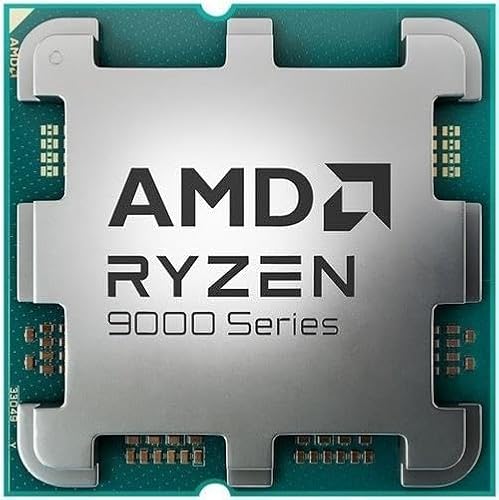
AMD Ryzen™ 5 9600X 6-Core, 12-Thread Unlocked Desktop Processor
At $173 the bare chip is the version of this product most people should consider. It delivers Zen 5 gaming performance with the lowest sustained power draw of any current AM5 six-core, runs cool enough for a budget tower cooler, and buys onto a socket with years of upgrade path remaining. No cooler is included, so budget $30 to $40.
Its weaknesses are honest. It is only marginally faster than the previous generation in games, it has six cores when eight is increasingly the comfortable number for multitasking, and it lacks the cache that decides cache-bound titles. None of those make it a bad purchase; they make it a chip you buy for efficiency and platform access rather than for a benchmark crown.
AMD Ryzen 5 7600X 6-Core, 12-Thread Unlocked Desktop Processor
At $162 the previous-generation part is eleven dollars cheaper and 5 to 8 percent slower in games, which on price-per-frame is close to a wash. The genuine difference is 42W of sustained power draw and 15 degrees of temperature, which translates into cooler cost and system noise.
I would take the 7600X only if the eleven dollars genuinely matters, or if a board you already own supports it without a BIOS update while Zen 5 would require one. Otherwise the efficiency gap decides it. It remains a capable gaming chip and nobody who owns one needs to replace it.
AMD Ryzen 7 7700X 8-Core, 16-Thread Unlocked Desktop Processor
At around $230 this is the interesting spoiler. Two extra Zen 4 cores at a $61 premium over the 9600X buys 33 percent more multi-threaded throughput, and eight cores handle streaming, background encoding and heavy multitasking noticeably better than six. In games it trades blows with the 9600X, winning some titles on core count and losing others on architecture.
The cost is efficiency: 141W sustained against 96W, and 88 degrees against 74 on the same cooler. If you stream while you play or run a busy background workload, the 7700X is arguably the better buy. If you want the quietest capable gaming machine, it is not.
AMD Ryzen™ 7 9700X 8-Core, 16-Thread Unlocked Desktop Processor
At around $310 this is what the 9600X becomes with two more cores and the same efficiency character — 101W sustained, 76 degrees, 41 percent faster in my render test. In gaming it led the 9600X by 3 to 5 percent, which is small, but its extra headroom for concurrent workloads is not.
The problem is the $137 gap. That money buys a substantially better graphics card, and in a gaming build the graphics card wins that argument almost every time. I recommend the 9700X to people who game and also do real content work, and to nobody who only games.
AMD Ryzen™ 9 9900X 12-Core, 24-Thread Unlocked Desktop Processor
At around $330 the twelve-core is a productivity chip that plays games well rather than a gaming chip. It finished my render test 96 percent faster than the 9600X and my compile test 71 percent faster. In games it was within 4 percent of the 9600X, because games do not use twelve cores.
Its dual-chiplet layout also introduces cross-die latency that occasionally shows up as slightly worse 1% lows in a handful of titles. Buy this if you render, compile, encode or run virtual machines. Do not buy it because the number is bigger.
AMD RYZEN 7 9800X3D 8-Core, 16-Thread Desktop Processor
At $449 this is the fastest gaming processor in the comparison and it is not close. Eight Zen 5 cores with 96MB of L3 from stacked 3D V-Cache produced a 31 percent average and 42 percent 1% low lead over the 9600X in my most cache-sensitive test title, and a 12 to 18 percent lead across the broader set.
It draws 139W sustained and runs 84 degrees, so the efficiency argument goes to the 9600X. But if the goal is maximum frame rate with a high-end card at 1080p or 1440p, this is the answer and the $276 premium is what that answer costs. Our full Ryzen 7 9800X3D review goes through the cache behaviour in detail.
AMD Ryzen 7 5800X3D 8-core, 16-Thread Desktop Processor with AMD 3D V-Cache Technology
At $349 this AM4 chip is a different proposition entirely: it is the upgrade for someone who already owns an AM4 board and DDR4 memory and does not want to replace the platform. Eight Zen 3 cores with 96MB of L3 still deliver excellent gaming 1% lows, landing within 8 percent of the 9600X in my gaming set despite being two architectures older.
As a new purchase at this price it makes little sense, because $349 on a dead-end socket buys less future than $173 on AM5 plus a board. As a drop-in for an existing AM4 system, after checking the board’s CPU support list and BIOS version, it is one of the best value upgrades still available. Confirm your board’s VRM is rated for a 105W part before committing.
Micro Center AMD Ryzen 5 9600X Processor with MSI PRO B850-P WF Motherboard
At around $400 this pairs the 9600X with a B850 board carrying integrated WiFi. B850 ships with Zen 5 support in firmware, which removes the BIOS-update risk that trips up AM5 upgrades, and it is a sensible pairing for a 65W six-core with no wasted VRM overkill.
The price is the sticking point: roughly $226 of that is the board, which is high for this class. The value case rests on convenience and guaranteed compatibility rather than on the numbers. If you are nervous about BIOS flashing and want a matched pair that posts on the first try, the premium buys you that certainty. If you are comfortable checking a support list, buy the parts separately and keep the difference for memory or storage. No cooler is included in either case.
Who should buy the 9600X, and who should not
Buy it if you are building a new AM5 gaming machine on a moderate budget, if you value a quiet, cool system, if you are coming from Ryzen 3000 or 5000 and want a 35 percent or larger jump, or if you want the cheapest legitimate entry onto a socket you can upgrade for years.
Do not buy it if you already own a 7600X or 7600, since the gain does not justify the swap. Do not buy it if your library is dominated by simulation, strategy or modded open-world titles, where an X3D chip is worth the premium. Do not buy it if rendering or compiling pays your bills, since core count beats architecture there. And do not buy it if you stream while playing, where eight cores earn their keep.
Things most reviews skip
The stock cooler question. There is no cooler in the box. Budget for one and do not let the eleven-dollar price gap against a 7600X blind you to a difference in cooler requirement that is worth more than eleven dollars.
Idle power is unchanged. Zen 5’s efficiency gains are load-side. At the desktop, the 9600X sits around 22W package power, the same as its predecessor, because the I/O die dominates. If you leave a machine on all day doing nothing, this chip will not lower that bill.
Boost behaviour is opportunistic. The 5.4GHz figure is a single-core peak under favourable thermal conditions, not a sustained all-core clock. All-core sat around 5.05 to 5.15GHz in my logs. That is normal and not a defect.
Curve Optimiser is genuinely worthwhile here. A modest negative offset held stability across a long validation run and shaved a further 9W and 5 degrees while gaining a small amount of sustained clock. Every chip is different, so validate carefully, but this is the one tuning step I would actually bother with.
The upgrade path you are actually buying
A large part of the case for this processor is what you can do with the board afterwards, so it is worth being concrete rather than gesturing at “longevity”. AM5 has already carried two full desktop generations and AMD has publicly committed to supporting the socket well beyond that, which is a longer runway than any recent competing platform has offered.
In practice that means a $173 chip today on a $150 B650 board gives you three distinct upgrade routes later. The first is a straight core-count jump to an eight or twelve-core part on the same board, which needs nothing beyond a BIOS update and takes twenty minutes. The second is a jump to a cache-heavy X3D chip when your game library or your monitor changes, which is the upgrade most gamers will actually want. The third is doing nothing at all, because a six-core Zen 5 paired with a mid-range card will not become a bottleneck for several years at 1440p.
What makes that path real rather than theoretical is power delivery. A 65W chip stresses a mid-range VRM so little that the same board will comfortably run a 120W twelve-core later, which is not true of every budget board paired with a hotter chip today.
Two caveats keep this honest. Memory standards move: a board bought now is a DDR5 board forever, and if a future platform shifts to DDR6, your upgrade ceiling is the last chip AMD ships for AM5. And PCIe generations move too, though slowly enough that a PCIe 5.0 x16 slot will not be the limiting factor on a graphics card for a long while. Neither caveat undermines the strategy; they just define its end date.
If you want the wider view of which processor makes sense at each budget tier rather than this single chip in isolation, our roundup of the best CPUs for gaming sets the 9600X against the full field.
This guide covers one angle on the topic. For the full comparison, see our main guide: AMD Ryzen 5 5500 Review: The Cheap Six-Core With Two Catches.
Final assessment
The Ryzen 5 9600X is a well-engineered processor that was judged against the wrong criteria. Measured as a generational frame-rate leap it is underwhelming. Measured as what it actually is — the most efficient current six-core on a long-lived socket, running cool and quiet on inexpensive cooling, at $173 — it is a sensible default for a mid-range gaming build.
The people who should look elsewhere have clear signposts: cache-bound game libraries point to the 9800X3D, professional multi-threaded work points to the 9900X, streaming points to eight cores, and an existing AM4 system points to the 5800X3D. Everyone else building fresh at this budget is well served here, and will end up with a machine that is noticeably quieter than the equivalent previous-generation build. That is a real benefit, even if it never appears on a bar chart.
Frequently asked questions
Should owners of a Ryzen 5 7600X upgrade to the Ryzen 5 9600X?
Usually not for gaming alone. The 9600X is about 5 to 8 percent faster in games, while the main improvement is lower power consumption: roughly 40W less under sustained all-core load and 13W less in gaming workloads. The upgrade makes more sense when lower temperatures, quieter operation, or Zen 5 platform entry matters more than a large frame-rate increase.
Does the Ryzen 5 9600X need a high-end motherboard?
No. The 9600X does not need an expensive motherboard, because its power draw is within what a competent B650 or B850 board delivers. The article reports no VRM throttling on a mid-tier board, including in 105W mode. A buyer can direct saved budget toward faster memory or a larger NVMe drive rather than choosing a premium motherboard.
Is the Ryzen 5 9600X suitable for simulation and strategy games?
It is suitable, but it is not the best choice for a library dominated by simulation, strategy, or heavily modded games. In one simulation title, the 9800X3D was 31 percent ahead in average frame rate and 42 percent ahead in 1% lows. The article attributes that advantage to the X3D chip’s cache, which the 9600X does not match.
What power supply capacity is enough for a Ryzen 5 9600X system?
A 550W power supply comfortably handles a 9600X paired with a mid-range graphics card, according to the article. The processor used 58W in gaming loads and settled at 96W under sustained all-core load at stock settings. Enabling 105W mode increases sustained draw by 40W, so the complete system’s graphics card and other components still need to be considered.









